Cancel Stripchat Recurring Payments
To stop recurring Stripchat payments, first identify what is generating them. Auto-Refill buys more tokens when the balance runs low; Ultimate membership and Fan Club subscriptions have their own management controls. Turning off one feature does not establish that every other payment arrangement has been cancelled.
The main places to check are Settings and Privacy → Balance Auto-Refill and My Subscriptions. Use the relevant cancellation control, complete any confirmation shown and keep the resulting status or message. If a payment authority also appears with your bank or provider, review that record separately.
Stopping future purchases is different from requesting a refund for an earlier charge or deleting the website account. This guide explains those differences and how to follow up if a charge appears after you believe you have cancelled.
Identify the recurring arrangement first
Start with the receipt, subscription record or token-purchase history associated with the repeated charge. Match the amount, currency, date and payment-provider reference. Similar amounts on a bank statement are a reason to investigate, not proof that every entry comes from the same feature.
| Arrangement | Where to start |
|---|---|
| Automatic token top-ups | Settings and Privacy, then the Balance Auto-Refill panel. |
| Ultimate membership | My Profile, My Subscriptions, then Ultimate membership. |
| A model’s Fan Club subscription | My Subscriptions, then the relevant Fan Club entry. |
| A bank or provider payment mandate | The genuine issuer or provider interface for the authority actually recorded there. |
| A charge you never authorised | Report suspected misuse promptly to the bank or provider and ask how to secure the payment method. |
A stored card is not, by itself, a complete explanation of a recurring charge. Establish which feature or authorisation relates to the payment. The Stripchat terms guide explains the distinction between payment details on file and authorised future purchases.
If the descriptor is unfamiliar, our bank-statement guide explains the documented provider names and how to compare the entry with your purchase records.
How to turn off Stripchat Auto-Refill
Stripchat’s Auto-Refill guide describes a feature that tops up the balance using the last manually purchased token package and the last payment details on file. It is available with some payment methods. Its trigger is a low token balance, so its purchases should not be confused with a membership renewing on a fixed date.
The payment terms say you can opt out of Auto-Refill through account settings. The help guide identifies the relevant panel as Balance Auto-Refill in Settings and Privacy.
- Sign in to the account whose token purchases you want to manage.
- Open Settings and Privacy and locate Balance Auto-Refill.
- Turn the feature off and complete any confirmation the interface presents.
- Check the resulting setting and save a record of it, with the time you made the change.
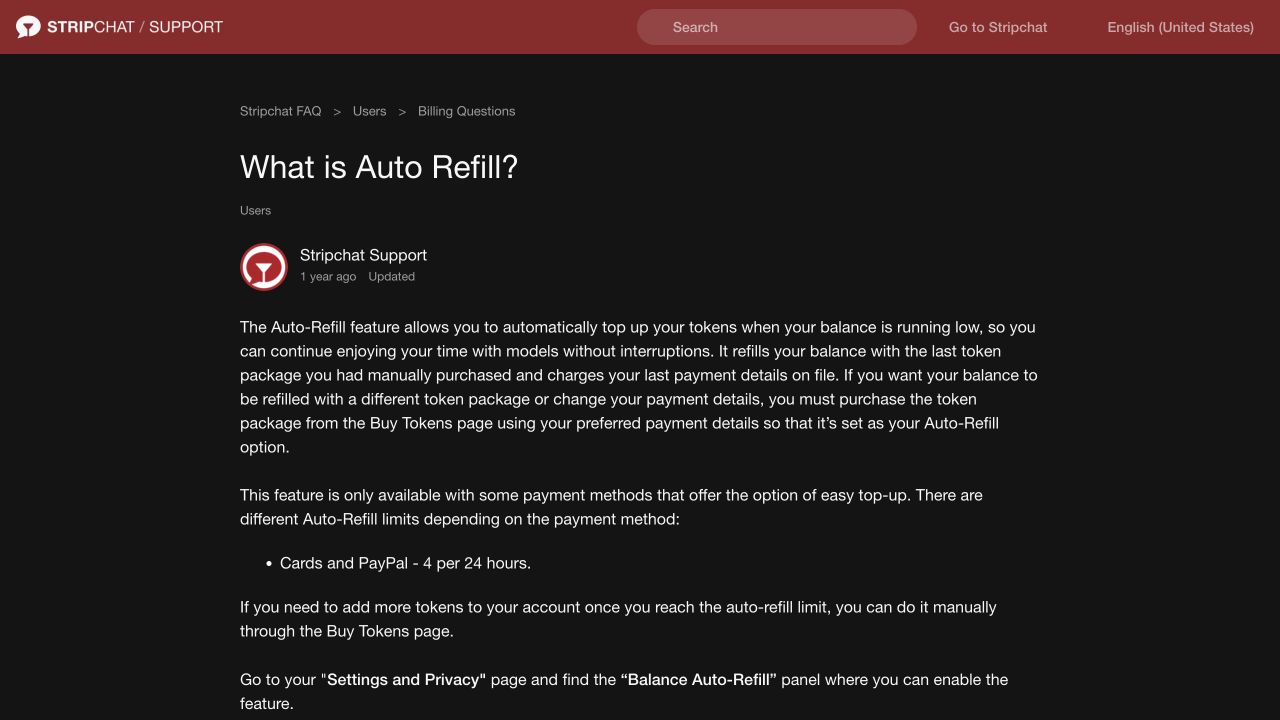
The practical result to verify is that Auto-Refill is disabled. A smaller package, a different payment card or a higher remaining balance is not the same confirmation. If you cannot find the panel or its state is unclear, ask support about Auto-Refill on that account specifically.
The help article also explains how a new manual purchase changes the package or payment details used by Auto-Refill. That is a configuration change, not a cancellation instruction. You do not need to buy another package simply to ask support to stop an unwanted automatic top-up arrangement.
Disabling the feature concerns future automatic purchases. It does not, by itself, reverse an earlier package purchase, explain every repeated debit or cancel a separate membership.
How to cancel Ultimate membership
Stripchat’s Ultimate cancellation instructions give this route:
- Open the username menu and select My Profile.
- Go to My Subscriptions.
- Open Ultimate membership.
- Choose Cancel Membership.
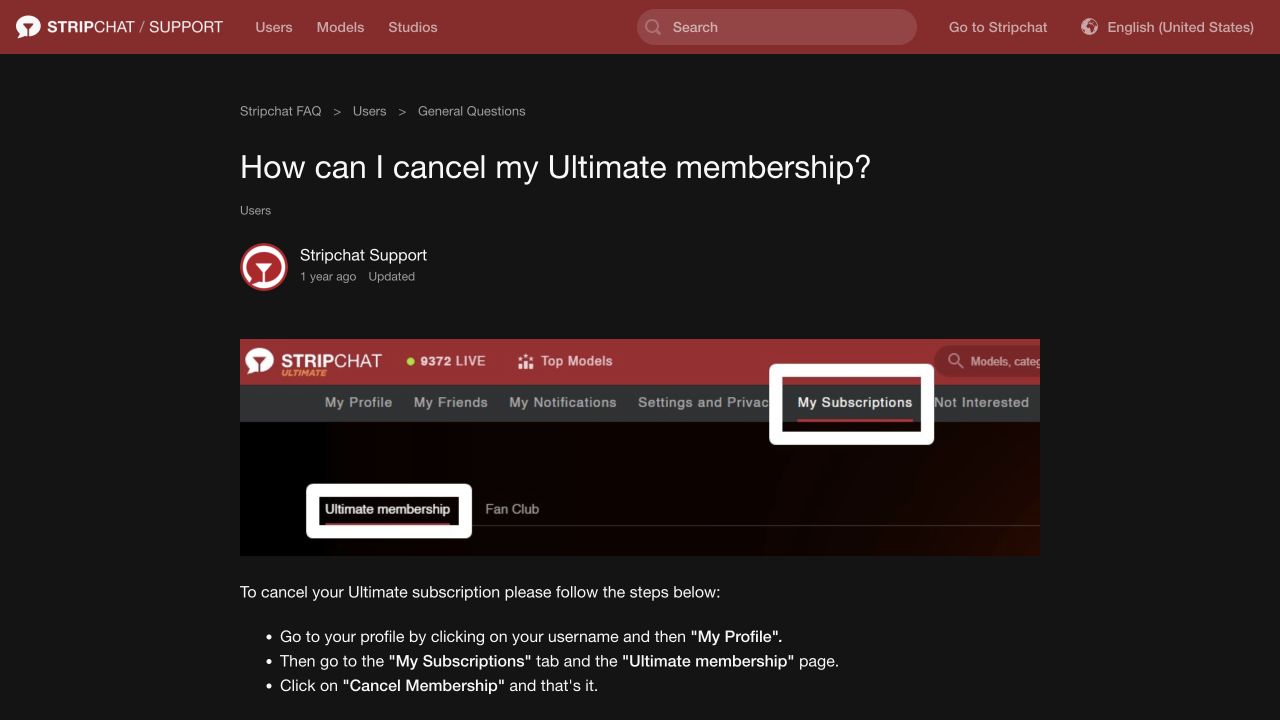
After completing the action, read the resulting status and any confirmation. Check the renewal information and the date or period shown for your own membership. If it is not clear whether renewal has stopped, ask support to confirm that specific point.
Do not infer the outcome from whether a membership badge or benefit is still visible. The cancellation question is whether another payment is scheduled or authorised; the access question is how long the current membership remains available. Ask about both if the account screen does not explain them.
The short cancellation article does not set out a universal refund entitlement or one cancellation deadline for every billing arrangement. Use the membership and payment records associated with your purchase. Act before an unwanted renewal rather than planning around an assumed last-minute cutoff.
How to cancel a Fan Club subscription
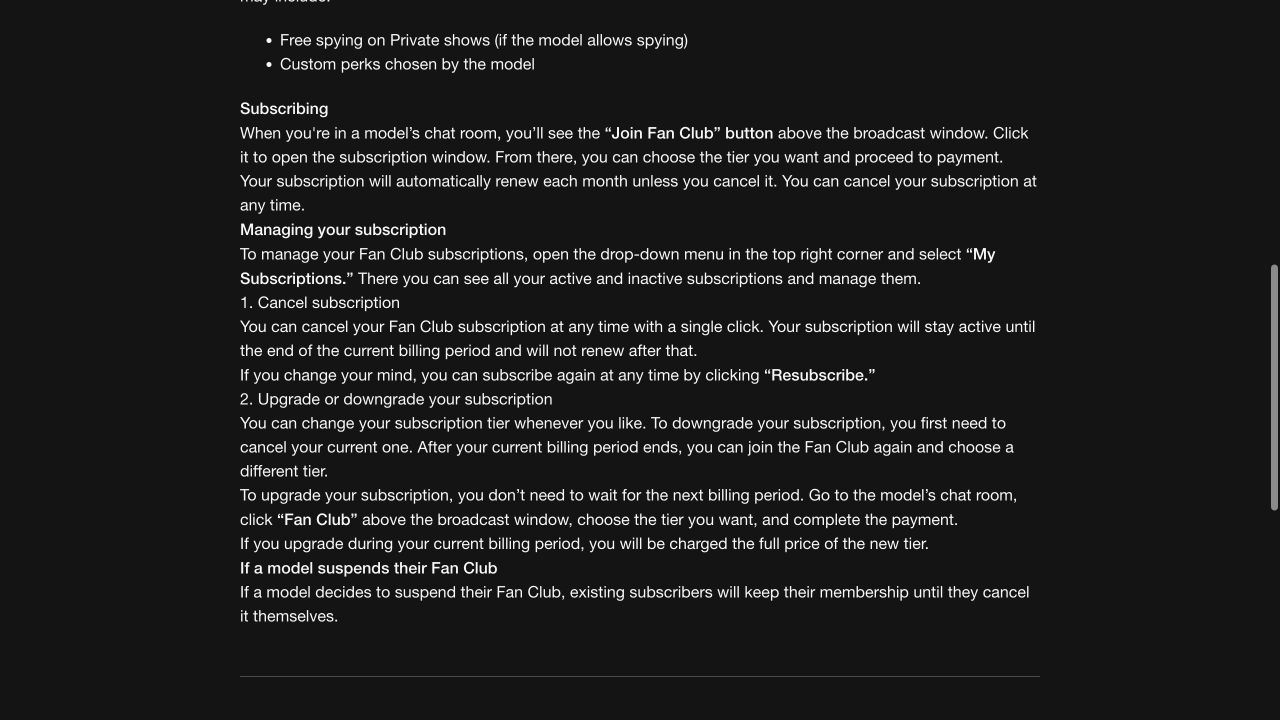
The Fan Club guide directs users to My Subscriptions in the account menu. It says this area shows active and inactive subscriptions and allows them to be managed.
Open the relevant Fan Club entry and use its cancellation control. If you subscribe to more than one model’s Fan Club, review each entry that you want to stop. Cancelling one model’s subscription does not establish that the others have been cancelled too.
The guide says a cancelled Fan Club subscription remains active until the end of its current billing period and then does not renew. Continuing to see membership access during that period can therefore be consistent with a completed cancellation.
Check whether the purchase was recurring
The Fan Club guide discusses both one-time purchases and auto-renewing subscriptions. Read the purchase option you selected, the billing period and the renewal information in the actual subscription record. Do not assume every Fan Club purchase renews, or that every account has the same period and terms.
A tier change is another reason to check the record carefully. Choosing a different tier and cancelling renewal are different actions. If your aim is to stop future payments, verify the cancellation status rather than relying on a change in the membership’s name or benefits.
What if the model suspends the Fan Club?
The help article says existing subscribers keep their membership until they cancel it themselves if a model suspends the Fan Club. A model’s inactivity or suspension of the club should therefore not be used as your cancellation confirmation. Review your subscription entry and cancel it if you want its renewal stopped.
How to check that cancellation was completed
Keep evidence of the change while you still have access to the account. The most useful record connects the specific arrangement with its new state.
Save the relevant subscription or setting, the cancellation confirmation if one is provided, and the date and time of your action. Note the product or Fan Club involved and any end-of-period or renewal information displayed. Keep the original receipt so a later bank entry can be matched to the same purchase arrangement.
For a support-assisted cancellation, distinguish a message saying your request was received from a reply confirming that the future arrangement has been stopped. Ask for clarification if the response does not identify the product, effective change or any remaining scheduled payment.
A confirmation for Ultimate does not establish the state of Auto-Refill or a Fan Club subscription. Work through the arrangements you actually have and keep the records separately. That makes a later billing question much easier to explain.
Check bank or payment-provider mandates where relevant
Indian cardholders may also have a recurring-payment authority visible through their issuer. As an example, SBI Card’s recurring e-mandate guidance describes viewing, modifying and cancelling merchant mandates through its app or website.
That is an issuer control, not proof that a particular Stripchat arrangement appears there. Check your own bank or provider’s record for the merchant, authority and payment method involved. Ask it how a recorded mandate can be cancelled and what confirmation and effective timing apply.
Keep the website cancellation and any provider-side action distinct. If you cancel a bank authority, still confirm the state of the membership with the platform. If the website says renewal is cancelled but an active authority remains unclear, ask the provider how that record should be handled.
Use genuine banking or payment interfaces. Do not send an OTP, banking password, card PIN or CVV to someone offering to cancel for you. Check the authority’s details before acting so that an unrelated payment arrangement is not confused with the one you mean to stop.
Does removing a card or deleting the account cancel everything?
Do not use either action as your only proof of cancellation. Removing a saved payment method, deleting a website account and cancelling a particular subscription answer different questions. Ask the platform or provider to identify the recurring arrangements and confirm which ones have ended.
Likewise, uninstalling an app, closing a browser tab or logging out does not give you a cancellation record. Complete the relevant account or provider process and keep its outcome.
If you plan to delete the website account, resolve the cancellation questions and preserve receipts and confirmations first where possible. Deletion can make your own records harder to access. It should not be used as a substitute for identifying an unknown debit or completing a bank investigation.
If you cannot sign in, contact official support with the account information and purchase references you do have. Explain that the immediate request is to stop future recurring payments and ask how to confirm the affected arrangements. For suspected unauthorised use, contact the bank promptly in parallel.
What if a charge appears after cancellation?
Start by matching the entry to the arrangement you cancelled. Check the provider reference, amount, currency and purchase date as well as the bank posting date. An entry appearing later on the statement needs investigation; its display date alone does not establish when the purchase was initiated.
Then compare that record with the cancellation confirmation. Did you cancel Ultimate while Auto-Refill remained enabled? Was a Fan Club subscription still renewing? Does the entry relate to an earlier purchase, a separate manual purchase or a transaction the provider needs to explain?
Ask support a specific question: which purchase or authorisation produced this charge, and how does it relate to the cancellation recorded at this time? Include the receipt, cancellation record and the relevant bank entry, with unrelated financial information removed.
If you did not authorise the payment or suspect misuse, report it promptly through the bank or provider’s trusted channel. Our unauthorised-charges guide explains the reporting and evidence steps. A cancellation enquiry should not delay securing an affected payment method.
Cancellation and refunds are separate requests
Cancelling renewal asks for future automatic payments to stop. A refund request asks for an earlier purchase or disputed charge to be returned or reviewed. One outcome does not automatically establish the other.
For example, a Fan Club remaining available until its paid period ends does not, by itself, mean cancellation failed. Equally, confirmation that renewal stopped does not state that the current period has been refunded. Read the response for the outcome it actually confirms.
If you want an earlier payment reviewed, identify it separately and explain the reason. Our Stripchat refund-policy guide covers the different conditions for unused token-package requests and complaints about services. Those conditions should not be assumed to apply identically to every membership payment.
Keep any refund decision with the cancellation record. If several payments are involved, note which transaction each response covers. This prevents a refund for one purchase from being mistaken for cancellation of every future charge.
What to send support when you need help
Stripchat’s transaction-support instructions ask for the purchase date, time and amount, with a receipt if available. For a recurring-payment question, add the name of the arrangement and what you need confirmed.
A useful message states the account, the relevant product or Fan Club, the purchase reference and the action already attempted. Say whether Auto-Refill appears enabled or disabled, or what the subscription page says after cancellation. Include the change time and any confirmation you received.
Ask directly whether future renewal or automatic top-ups have stopped, when the change takes effect and whether any existing transaction remains to be explained. If you also want a refund, identify that payment and request separately.
Use the Contact Support route on the official help pages or the billing provider identified by your genuine receipt. Keep the case reference and follow up on the same transaction rather than starting several unrelated descriptions of it.
Frequently asked questions
Does turning off Auto-Refill cancel Ultimate?
They have separate controls. Auto-Refill is managed in Settings and Privacy; the Ultimate cancellation route is through My Profile and My Subscriptions. Check both if you use both features.
Why is my Fan Club still active after I cancelled it?
The Fan Club guide says cancellation stops renewal after the current billing period, with access continuing until then. Check the cancellation and renewal information for the subscription rather than judging by access alone.
Do I need to cancel every Fan Club separately?
Review each subscription you want to stop in My Subscriptions. A cancellation for one model does not confirm the state of another subscription. Keep the confirmations associated with the correct entries.
Will changing the Auto-Refill card stop automatic purchases?
Changing payment details is different from disabling the feature. If the goal is to stop top-ups, check the Balance Auto-Refill setting and verify that it is off. Ask support if the state is unclear.
Is cancelling a bank mandate enough?
Confirm both the provider-side authority and the website subscription state where applicable. A bank action does not, by itself, explain the status of the membership or an earlier charge. Keep the outcomes of each process.
Does cancellation automatically return the last payment?
No refund should be inferred from a cancellation confirmation alone. A past payment needs its own review under the relevant conditions. Identify the transaction and the result you want when contacting support.