Stripchat & Incognito Mode
Incognito mode can help keep a Stripchat visit out of the browser history left for the next person using your device. It does not turn an account session into anonymous browsing or remove a purchase from your bank statement. Its value is narrower, and understanding that boundary makes it much more useful.
There is also a naming trap. The browser’s Incognito or Private Browsing mode is separate from Stripchat’s Invisible Mode, a feature described for Ultimate members. One concerns local browsing data; the other concerns how your name appears inside the site. Neither should be treated as a universal privacy switch.
Before choosing a setting, decide what you want to protect: the browsing history on a shared computer, your presence in a room, your payment records or the information connected to your account. Each calls for a different check.
What the browser’s incognito mode actually changes
Google Chrome’s Incognito guide describes a separate browsing session with temporary cookies and site data. After all incognito windows are closed, Chrome does not retain that session’s visited-site history or site data. Files you download and bookmarks you create remain.
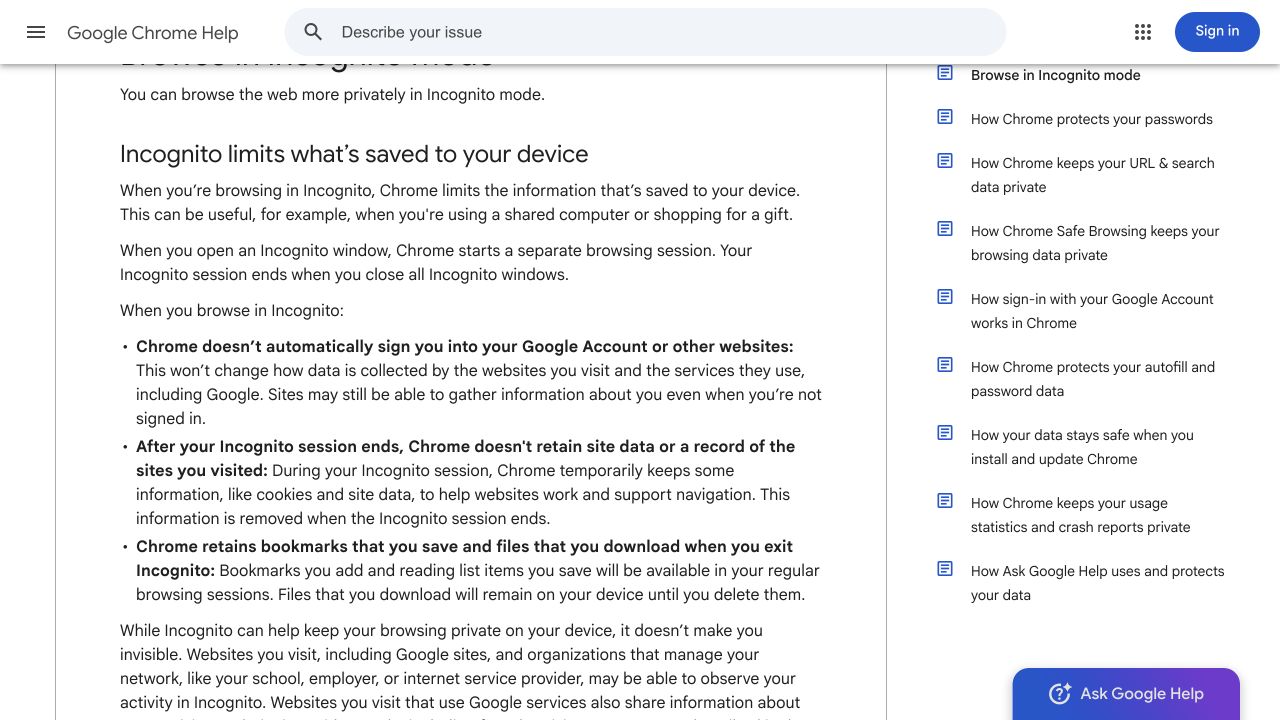
That is useful when you want to avoid leaving an ordinary history entry on a shared browser. It also gives you a separate session from the normal window. The important part is to stay aware of which window you are using, especially when several windows look similar.
Opening a private window does not retrospectively change a visit made in a normal window. If you already opened a page in the ordinary browser, treat that earlier visit as a separate record. Likewise, a screenshot saved to your desktop or a receipt opened in another application needs its own attention.
For Chrome on a computer, open the menu and choose New Incognito window. The shortcuts are Ctrl + Shift + N on Windows, Linux and ChromeOS, or Command + Shift + N on a Mac. Confirm the incognito indicator before navigating. On a phone, use the browser’s private-tab control and check which tab group is active; desktop shortcuts are not mobile instructions.
Three different privacy controls
The simplest way to avoid a mistaken assumption is to compare what each control is supposed to change.
| Control | What to check |
|---|---|
| Browser Incognito or Private Browsing | Whether the visit is in the private session and whether you have ended that session afterwards. |
| Stripchat Invisible Mode | Whether the relevant account feature is active and what actions can reveal your name. |
| Anonymous tipping | Whether the separate anonymous-tip option is selected for the tip you intend to send. |
| Profile and notification settings | What you share and where messages can appear. These need their own review. |
A browser window cannot confirm an account feature’s status. An account badge cannot confirm that you opened a private browser window. Read the control you are actually using instead of relying on the general impression that everything is “incognito.”
Stripchat Invisible Mode has a specific scope
Stripchat’s Ultimate membership guide describes Invisible Mode as hiding your name from the model’s viewer list. The same description says messages and tips can reveal your name, with anonymous tipping handled separately.
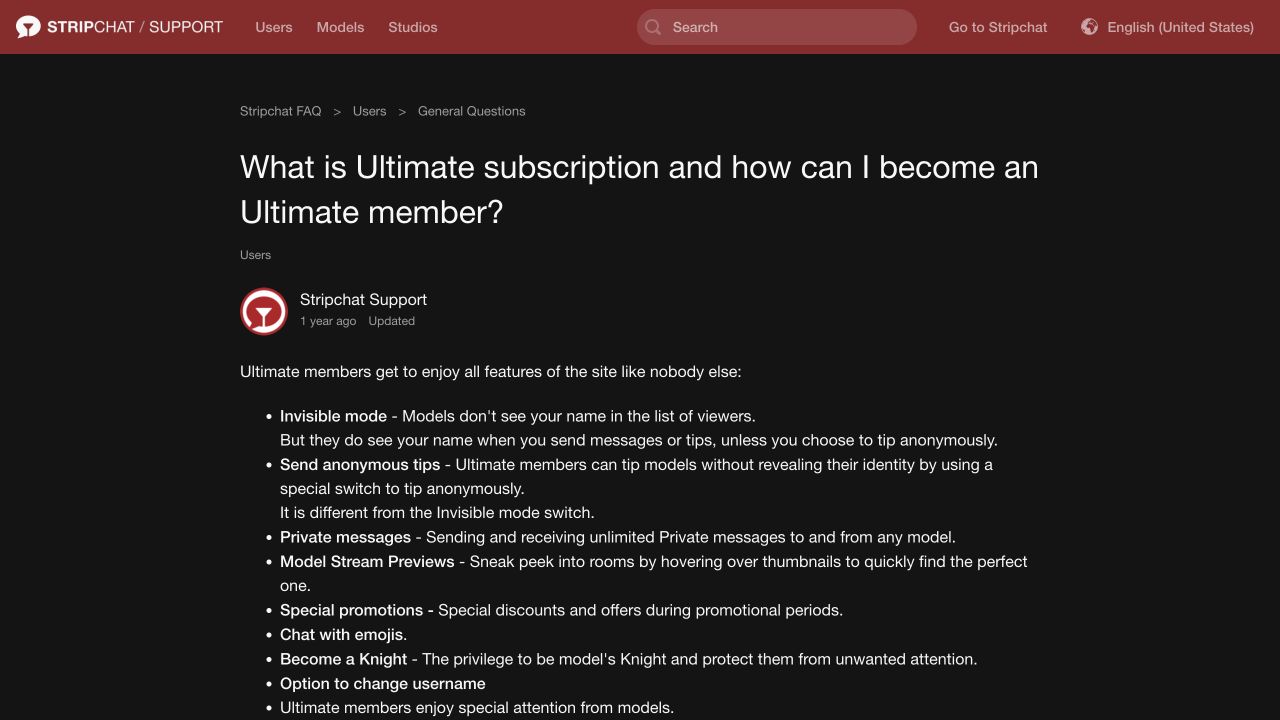
This is a reason to pause before interacting if name visibility matters to you. Do not assume that entering a room quietly gives every later action the same visibility. Check the setting for the particular action before sending anything, rather than trying to infer it from how you entered.
The guide places the feature within Ultimate membership. Browser incognito does not activate Ultimate benefits. Before considering a membership, read the actual offer, payment period and renewal conditions shown to you. There is no need to purchase anything merely to use a browser’s built-in private window.
If the Invisible control is missing or its state is unclear, ask support about your account’s available feature and its scope. Avoid sending a message or a small tip as an experiment when your aim is to keep your name hidden: the action itself may produce the disclosure you were trying to avoid.
Anonymous tips use a separate switch
The anonymous-tipping instructions require Ultimate membership and a dedicated toggle in the tip interface. The article explicitly warns that a normal tip shows your nickname even if Invisible Mode is on.
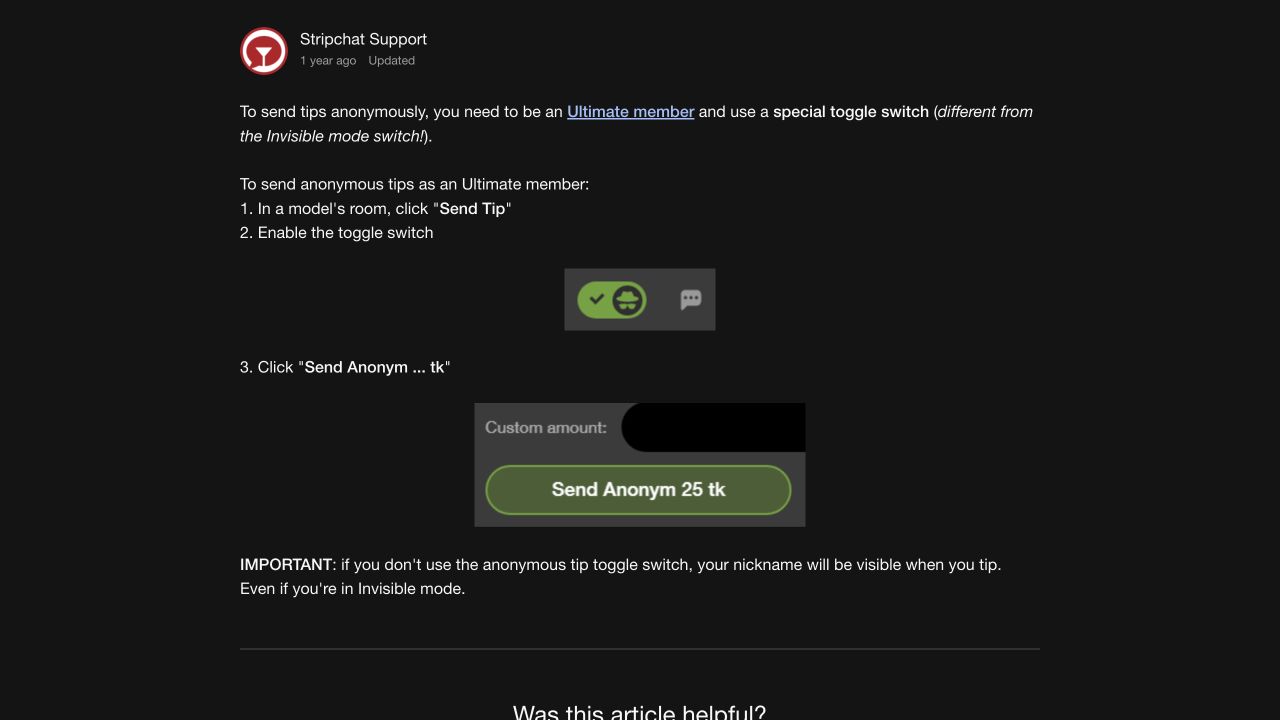
If you intend to use this option, review the selected state and the confirmation wording before committing tokens. Do not substitute the browser’s incognito icon for that check. If the interface does not clearly indicate the action you intend, stop and clarify it before sending.
Here, “anonymous” describes a feature’s presentation within the service. It should not be extended into a claim that the underlying purchase, account or transaction has no records. Judge the feature by its documented scope rather than by the broadest possible reading of its name.
The amount visible in the help screenshot is an example of the interface, not a recommended tip or a current price. Use the amount and confirmation actually shown in your account.
Signing in still identifies an account session
A separate browser session is useful for separating local sign-in state. Once you enter your Stripchat credentials, however, you are asking the service to open that account. Private browsing does not make the username you supplied unknown to the website.
Think of a visit with two stages. Before signing in, you are a visitor using a private browser window. After signing in, you are using an authenticated account within that window. You may still get the local-history benefit, but you should make profile, payment and interaction decisions with the account connection in mind.
Stripchat’s privacy policy lists technical and usage information for visitors and additional account and transaction categories for members. It does not describe browser incognito as an exemption from those categories. Our Stripchat privacy review explains profile visibility, cookies, retention and requests about stored information.
Browsing without an account should not be confused with sending no information at all. The website still needs to respond to your connection. A nickname or a signed-out screen is not evidence that every recipient has lost the ability to associate activity with you.
What a network operator may still see
Mozilla’s explanation of private-browsing myths makes clear that Private Browsing does not mask your IP address or make activity invisible to an internet provider or employer. It also does not protect a device from existing malware or phishing.
That matters on an office network, a managed laptop or a public computer. The browser’s privacy mode cannot give you a reliable answer about monitoring installed elsewhere. Avoid assuming that a screen label overrides the rules and technical controls of a device or network you do not manage.
This does not mean every network observer can read the full contents of an encrypted conversation. The practical point is that incognito provides no general promise of network anonymity. Do not use it as the basis for sharing something you would otherwise keep private.
For sensitive account access, prefer a trusted device you control. If a browser shows a security warning or an unfamiliar page asks for credentials, opening another private window does not establish that the destination is genuine.
Payments and subscriptions keep their own records
Suppose you open a private window, sign in and buy tokens. The local browsing session and the payment are different events. Closing the window should not be treated as cancelling the purchase, deleting the receipt or ending a subscription.
Stripchat’s billing-description guide explains that a payment provider’s name can appear on a statement. That description is not a guarantee of anonymity. Check who can access your bank app, statements and email separately from who can open the browser history.
For a user in India, the payment options available at checkout can also depend on country and provider. Incognito is not a promise of different payment eligibility or a way to remove a transaction from the payment system. Use the genuine options shown and retain the records needed to identify a charge.
If your aim is to stop future charges, review the actual recurring arrangements. Our recurring-payment guide separates Auto-Refill, Ultimate and Fan Club controls. A browser window’s close button is not one of those cancellation controls.
Notifications, files and shared screens deserve attention
A private session is only part of what happens on a device. Consider what you save, what you display and which other applications are open. A file saved during a visit can remain in a downloads folder or a synced location after the browser session ends.
Before saving a screenshot or receipt, look at the destination. If you use a shared photo library or cloud folder, decide whether it is the right place for that record. Keep important purchase evidence somewhere you control rather than deleting it impulsively and losing the information needed for a dispute.
Messages can also surface outside a browser’s history list. Stripchat’s Notify When Online guidance describes email and push notifications and points to Settings and Privacy for push controls. Check the website preference, browser permission and device preview options according to what you want to receive.
On a shared screen, pause screen sharing or close unrelated windows before accessing personal accounts. Private browsing does not remove information from a screen another person can already see. Check the situation around the device as well as the browser setting.
Finish the session deliberately
Use a simple sequence rather than assuming that closing the visible page has done every job.
- Finish any paid activity through the feature’s own controls and check its state.
- Sign out of the website when you have finished using the account.
- End the private browsing session. In Chrome, that means closing all incognito windows, not just one tab.
- Review files, screenshots and receipts you deliberately saved, including their storage location.
- Review subscriptions or notification preferences separately if your aim is to change future activity.
Do not confuse a successful sign-out with a data-erasure request. Stripchat’s privacy policy describes retention conditions for different purposes. If you want information about a retained record or want to request deletion, identify the data and desired action through the genuine support route.
A private session also leaves earlier ordinary browsing untouched. If you are managing older history or saved credentials, use the relevant browser controls for those records and read their scope before applying a change.
Use incognito for a defined purpose
A realistic aim might be: “I want this visit kept out of the ordinary browser history on my own shared computer.” Private browsing is relevant to that aim. “I want nobody involved in the service or payment to know anything about this account” asks for far more than incognito offers.
Choose the control that matches the concern. For room-name visibility, read the Invisible and anonymous-tip descriptions. For unwanted account access, use a unique password and available authentication protections. For records held by the service, review the privacy policy and ask a specific question about the relevant data.
Our Stripchat safety guide for India covers account and payment risks more broadly. Incognito can be useful within that wider approach, as long as you give it the limited job it was designed to do.
Frequently asked questions
Can I use Stripchat in an incognito window?
You can open the website in a private browser session, subject to normal access and device restrictions. The mode does not promise that every feature will work identically or that the service receives no data.
Is Stripchat Invisible Mode the same as Chrome Incognito?
No. Invisible Mode concerns your name in the site’s viewer list. Chrome Incognito concerns a separate browser session and local browsing records. Check each control independently.
Can a model see my name if I interact while invisible?
Stripchat’s help says messages and ordinary tips can show your name. Anonymous tipping requires its own option. Do not rely on the Invisible setting alone before sending something.
Does incognito remove a token purchase or bank charge?
No. Review purchases, receipts, bank records and any recurring arrangement through their actual account and payment controls. Closing a browser session is not a refund or cancellation.
Is a private window enough on a work or public computer?
It does not establish that the device is free from monitoring or malware. Prefer a trusted device for sensitive sign-ins, and do not treat private browsing as permission to ignore a network or device owner’s rules.