Stripchat Account Recovery
The right way to recover a Stripchat account depends on what is stopping you from signing in. A forgotten password, an email that never arrives and a missing authenticator are different problems. Sending the same reset request repeatedly can leave the actual obstacle untouched.
Start by identifying the account and reading the exact message on the screen. Then use the genuine website or help centre to choose the relevant recovery route. If you think someone else changed the account, protect the connected email and explain the suspected changes to support as well as trying to restore access.
You do not need to give a stranger your password, a live authentication code or access to your mailbox to get help. Recovery should establish your control of the account through the service’s own process, without creating another opportunity for someone to take it.
Identify the access problem first
Write down what still works. Can you open the registered mailbox? Do you have the device that generates your 2FA codes? Are you already signed in on a trusted device? Those answers help separate a routine password reset from a case that needs support.
| What is happening | Where to start |
|---|---|
| You forgot the password and can access the registered email | Use the official password-reset flow for the intended account. |
| No reset email appears | Check the mailbox, Spam, storage and delivery rules before sending more requests. |
| You cannot access the registered email | Use the email provider’s recovery process and explain the obstacle to Stripchat support. |
| A 2FA prompt appears but the authenticator is unavailable | Check the app’s actual sync or transfer arrangement and use official support if needed. |
| Account details changed without your permission | Secure the recovery email and report the specific changes from a trusted device. |
| The screen says access is restricted or suspended | Preserve the notice and ask support about the restriction; do not treat it as a forgotten-password error. |
An unsuccessful login does not, by itself, prove account theft. Equally, an unexpected change should not be dismissed as a typing mistake. Keep the error text and the circumstances clear instead of guessing which explanation applies.
Reset a forgotten Stripchat password
Stripchat’s password-recovery guide describes a reset using your username or registered email. For the ordinary reset flow, it advises signing out of other Stripchat accounts before starting, so that you recover the account you intend.

Open the genuine website or follow the reset link from the official help article. Enter the username or registered email for the relevant account and request recovery. The guide says the resulting email leads to a page where you enter the new password twice.
Choose a new unique password and save it securely. Reusing an old password from another service defeats part of the purpose of regaining control. Before entering it, check that you are still in the genuine recovery flow you initiated.
Requesting the email and finishing the reset are separate steps. Follow the confirmation shown by the website, then try the intended account with the updated password. If a password manager still fills an old value, check the saved entry rather than repeatedly submitting the wrong one.
If you are still signed in on a trusted device but have lost access to the registered mailbox, identify that situation before starting a routine reset. Read the account options available to you and ask support how to proceed without assuming that an email-dependent flow will solve it.
If the password-reset email does not arrive
Stripchat identifies noreply@account.stripchat.com as the recovery sender and advises checking Spam. Search the correct mailbox as well as its inbox. If you use several addresses, confirm which one belongs to the account rather than checking the most familiar inbox automatically.
For Gmail, Google’s missing-email guidance describes storage limits, Spam and Trash, filters and forwarding as things to review. Full storage can prevent new mail from arriving, while a rule can move a message out of the inbox.
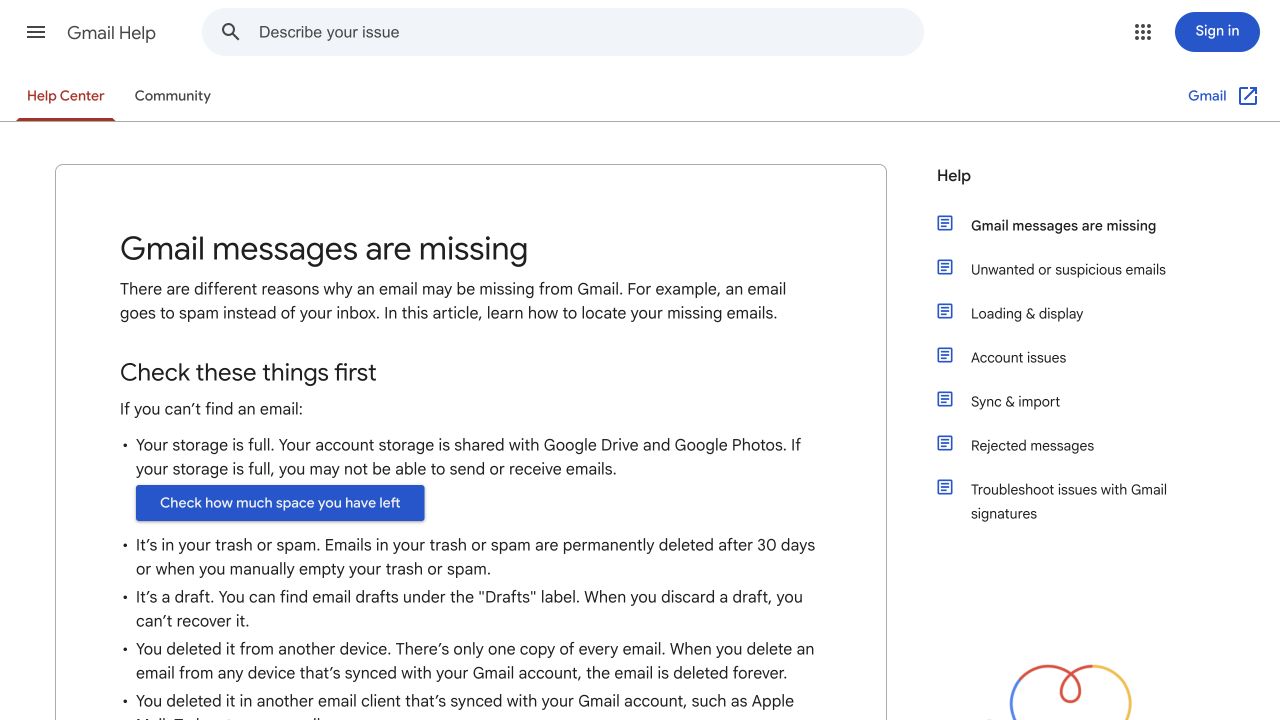
Search across the relevant folders and inspect rules that archive or delete incoming mail. If the mailbox has an unfamiliar forwarding destination, treat that as a security concern to investigate through the email provider’s genuine controls.
For another email provider, use its equivalent delivery and account-help instructions. Do not assume a setting from a Gmail guide has the same name or effect in every app. If you read email through a separate mail client, also check the provider’s web interface.
Keep track of the request you actually made. If the website displays an error or says a request could not be completed, preserve that information for support. Do not keep generating requests in the hope that more messages will explain a problem with the account address or mailbox access.
A missing email does not establish that the account was deleted or stolen. Tell support which mailbox checks you completed and what the reset page showed, without claiming a cause you cannot verify.
Check the email before following a reset link
A familiar sender address is a reference, not proof that an unexpected message is authentic. Someone can copy a display name, logo or wording from a real recovery email. Start a reset yourself through the genuine service rather than following an unsolicited warning that asks you to act immediately.
Do not forward a usable reset link to someone who offers to finish the process for you. If you need help, describe the error and the stage at which it appears. A screenshot of an error can be useful after removing any secret link, token or unrelated personal information.
If a reset link is rejected, use the website’s stated instructions for requesting another through the genuine route. There is no need to guess a universal link lifetime or ask a stranger to “reactivate” it. Keep the account name and mailbox consistent when you try again.
Our Stripchat scams guide explains fake support, verification requests and recovery offers that demand an advance fee.
When you cannot access the registered email
Recover the mailbox through its provider’s official process. For Gmail, Google’s account-recovery guide covers forgotten credentials and problems receiving verification codes. A work or school account may require help from its administrator.
Restoring the mailbox can restore access to recovery messages, but it is still a separate process from changing the Stripchat password. Do not assume that creating a new mailbox automatically changes the address connected to an existing Stripchat account.
Contact Stripchat through the official help centre and explain that you cannot use the registered email. State whether you still know the username, have any trusted signed-in access and can receive replies through a secure contact channel. Ask what ownership-verification route is available for your situation.
Support may need to establish ownership before making a change. A username, a receipt or knowledge of profile details should not be treated as a guaranteed substitute for that process. Provide the requested information only through the genuine channel and understand why it is needed before supplying sensitive documents.
If the mailbox is compromised rather than merely inaccessible, say so. Review its recovery details and unfamiliar access when you regain control. Otherwise, another person may continue receiving account messages while you believe the website problem is resolved.
Recovering access when 2FA is unavailable
A password reset and a second-factor prompt address different parts of sign-in. If the website still asks for an authenticator code, explain that obstacle rather than repeating password resets as though they must remove it.
Stripchat’s 2FA article describes authenticator codes for suspicious login attempts. It also describes a temporary block after repeated incorrect codes. Stop guessing if attempts keep failing and preserve the exact message you receive.
Google’s Authenticator documentation distinguishes synced codes from codes stored without a Google Account. It describes sync on a new device and manual transfer using the old device. Installing the app again should not be assumed to restore an entry that was never available through your chosen arrangement.
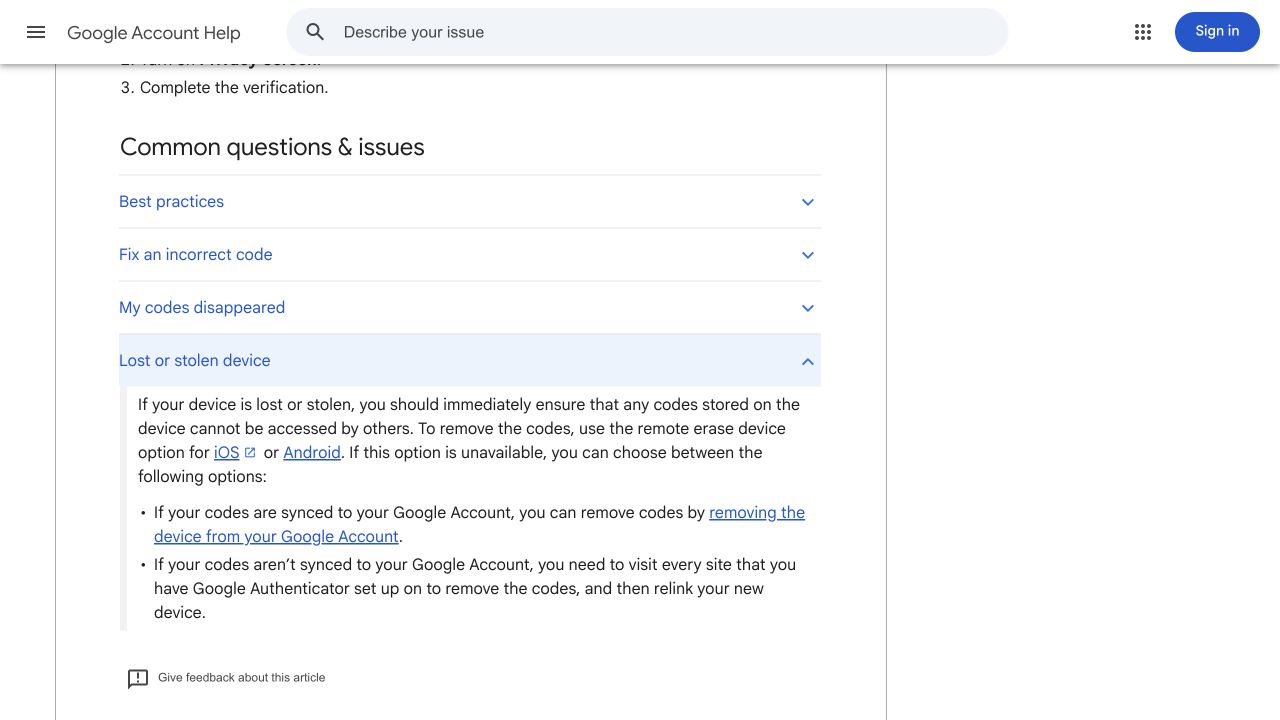
If you still have the old phone, follow the app provider’s transfer instructions before resetting it. If the phone is lost or stolen, follow the provider’s device-protection guidance as well as addressing the website login. Read the effects of any device action before carrying it out.
If no valid entry can be recovered, use Stripchat support and say that the second factor is unavailable. Ask for the official ownership-verification process. Do not pay someone to bypass 2FA, send them an export QR code or let them take control of your Google Account.
The older Stripchat article’s single-device claim should not guide your app-recovery assumptions: Google’s current documentation describes sync and transfer. That does not mean Google can reset Stripchat’s account controls on your behalf.
If you suspect someone took over the account
Use a trusted device to protect the registered email and restore the website account through genuine routes. Record what made you suspicious: an email change you did not request, settings you did not alter, an unfamiliar message or a payment you cannot explain.
An unsolicited reset email alone does not establish a successful sign-in. Tell support what actually changed and which access you still have. Avoid turning a sequence of uncertain events into a definite explanation before it is investigated.
If you regain access, replace an exposed or reused password and review the account details and available security controls. Ask whether existing sessions need to be invalidated separately. Do not infer that completing a password reset has automatically signed out every other device or undone every change.
If an authenticator setup secret may have been exposed, raise that specific issue through the secure account process. A secret used to generate codes is different from a password, so changing one should not be treated as replacing the other.
For a wider recovery and protection checklist, see Stripchat account security. If money was taken without your permission, use the bank or provider’s reporting route promptly as well; our unauthorised-charge guide explains the records to keep.
What to include in a support request
Make the first request easy to understand. Give the account identifier through the genuine support channel, describe the obstacle and say what you can still access. Include the error text and approximate time of your last successful sign-in if you know it. Mark estimates as estimates.
A useful outline is:
I cannot sign in to my account. The screen shows [exact error]. I can/cannot access the registered mailbox, and I do/do not have the authenticator entry. I have already tried [relevant steps]. Please tell me the official next step for verifying ownership and restoring access.
Add specific unexpected changes if you suspect compromise. If a purchase is relevant to identifying a problem, Stripchat’s transaction-support guidance asks for the date, time and amount, with a receipt if available. That is context for an investigation, not a promise that a receipt alone proves account ownership.
Keep screenshots narrow enough to avoid exposing unrelated records. Do not send passwords, live login codes, reset tokens, authenticator setup keys or banking PINs in a message. Use any legitimate secure verification flow for information that genuinely needs to be provided.
Keep the case reference and follow up in the same genuine support thread where possible. There is no reliable universal recovery deadline to assume, and an unsolicited person promising an instant result should not decide how you proceed.
Restricted, suspended and deleted accounts
If the website gives a restriction or suspension notice, preserve its wording and use the stated support or review route. A new password does not establish that an access restriction has been lifted. Do not create another account as a workaround for a decision you have not understood.
If an account was previously deleted, read the account-deletion and reactivation guide for the documented process and its permanent-deletion limit. Ask support about the account’s actual state and any records or balance that matter to you. Do not treat normal password recovery as proof that deletion can always be reversed.
For an Indian reader, country or payment availability is another separate question. Recovering account access does not guarantee that a particular checkout method will be offered. Explain an access problem as an access problem rather than changing payment settings to try to solve it.
After you regain access
Confirm that you are in the intended account, then review its registered details and security settings. Save the new unique password correctly and check that you control the mailbox and authenticator arrangement you will rely on next time.
Review any unexpected account or payment activity with the relevant service. Restoring sign-in does not cancel subscriptions, reverse a purchase or resolve a disputed bank charge. Use the recurring-payment controls separately if your aim is to stop future renewals or top-ups.
Keep enough recovery information to recognise the account and reach the official process again. Store it privately. You can prepare for a lost phone or changed mailbox without keeping authentication secrets in a shared notes folder or sending them to another person.
Frequently asked questions
Can I reset the password using my username?
Stripchat’s recovery guide allows a username or registered email for the request. The process still uses a recovery email, so knowing the username should not be treated as bypassing mailbox access.
Why is the recovery email not in my inbox?
Check the correct mailbox, Spam and delivery settings. For Gmail, storage and filters can also affect receipt or visibility. A missing message alone does not explain whether the cause is delivery, an account detail or another issue.
Can a new email address replace the old one automatically?
No. Creating another mailbox does not connect it to an existing Stripchat account. If you cannot use the registered address, explain the problem through genuine support and ask about ownership verification.
Will a password reset remove 2FA?
Do not assume that it will. Explain a missing authenticator separately and use the official recovery process. Keep live codes and setup secrets private.
Can someone guarantee recovery for a fee?
Do not trust an unsolicited promise of instant recovery. Use the service and email provider’s genuine processes, and do not hand over credentials or pay a stranger to bypass account checks.