Stripchat App & APK Safety
Before downloading anything called a Stripchat app, check what the platform actually distributes. A familiar icon, a recent version number and a page promising “safe APK download” are easy to display. They do not establish who made the file or what it will do on your phone.
The most useful starting point is Stripchat’s own mobile-app guidance: it describes a web application installed from the official website, rather than a standalone APK. That distinction helps you assess a download claim before you give an unknown program access to your account, messages or device.
For users in India, a page advertising an “India APK” or a special payment-enabled version deserves the same checks as any other download. A country name does not authenticate a publisher or change the permissions you are being asked to grant.
Does Stripchat have an official APK?
The official mobile-app article describes a Progressive Web Application, or PWA, for iOS and Android. It expressly says Stripchat does not offer a standalone app through the App Store, Google Play or as an APK, and warns against apps claiming otherwise.
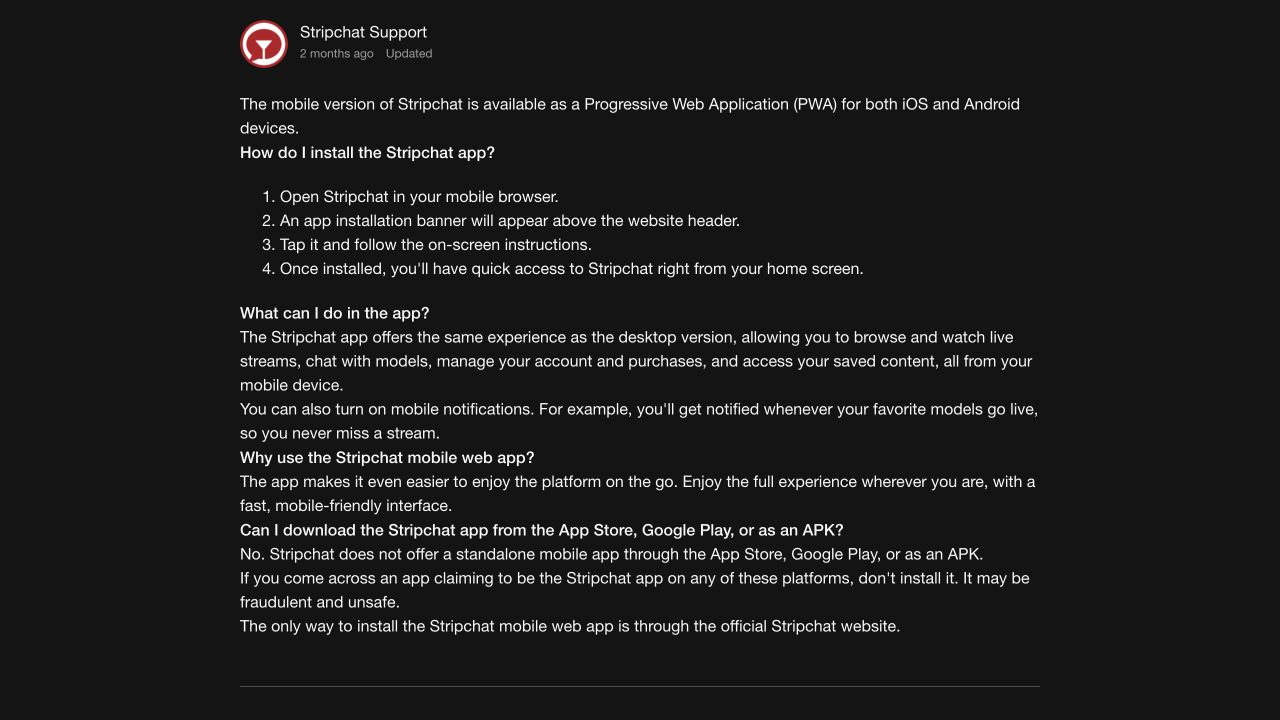
That gives you a clear way to assess a “latest official Stripchat APK” claim. Compare it with the platform’s own distribution instructions before opening the file. A third-party page cannot establish official status simply by repeating the brand name or linking to genuine screenshots.
The official article describes opening Stripchat in a mobile browser and following its installation banner to add home-screen access. It also describes account, purchase and notification functions. Use the instructions shown for your device; an unfamiliar installer is not a substitute if the expected banner is missing.
Official distribution and a security guarantee are different questions. Reaching the genuine site helps establish where the web app comes from. You still need to protect your password, understand permissions and read payment confirmations.
A web app and a downloaded package are different things
A PWA provides a website experience with app-like access. A home-screen icon does not, by itself, tell you how that icon was added or prove that it belongs to the genuine service. Start with the website address and the installation route, rather than judging by the icon afterwards.
An APK is an Android application package. A website offering one is asking you to install software, which is a different decision from opening a page. You need a trustworthy publisher and distribution route before treating that package as part of the service.
Do not assume that an Android package is necessary because a download page looks polished or says the browser version is outdated. If a page tells you to install a special player, decoder or account-verification helper, leave that page and check the requirement through the genuine help centre.
You can use the official website in the browser without taking a download site’s word for what your phone needs. If a feature does not work, investigate that feature through the genuine service rather than repeatedly trying unrelated installers.
Check a download claim before you act
Use the checks below before opening a package or entering account details. They help identify unsupported claims; they do not certify a file as safe.
| What you see | What to check |
|---|---|
| “Official APK” or an app-store listing | Whether the claim matches Stripchat’s own current mobile guidance. |
| A copied logo or screenshots | The source and destination address, rather than the artwork. |
| “Latest version” and a recent date | Who publishes the file and why a separate package is supposedly needed. |
| An update required to keep using the account | Whether the genuine website or browser reports the same requirement. |
| Free tokens or unlocked membership | Whether the offer exists through the genuine service, without installing a helper. |
| Instructions to disable protection | Stop and investigate the request before changing device security. |
A long list of enthusiastic comments, download counts or a “verified” badge can still be a claim made by the page itself. None replaces confirmation from the organisation supposedly distributing the app.
Even a checksum needs context. It can help establish that two copies of a file match when you have a trusted reference. A hash published beside an unknown file does not establish that the file is official or harmless.
Avoid opening a suspicious package just to find out what permissions it will request. You do not need to complete an installation to decide that its claimed distribution route conflicts with the official guidance.
Keep Play Protect enabled on supported Android devices
Google’s Play Protect guidance says it checks for potentially harmful apps, including apps from other sources, and may warn, disable or remove them. Google recommends keeping the protection on.
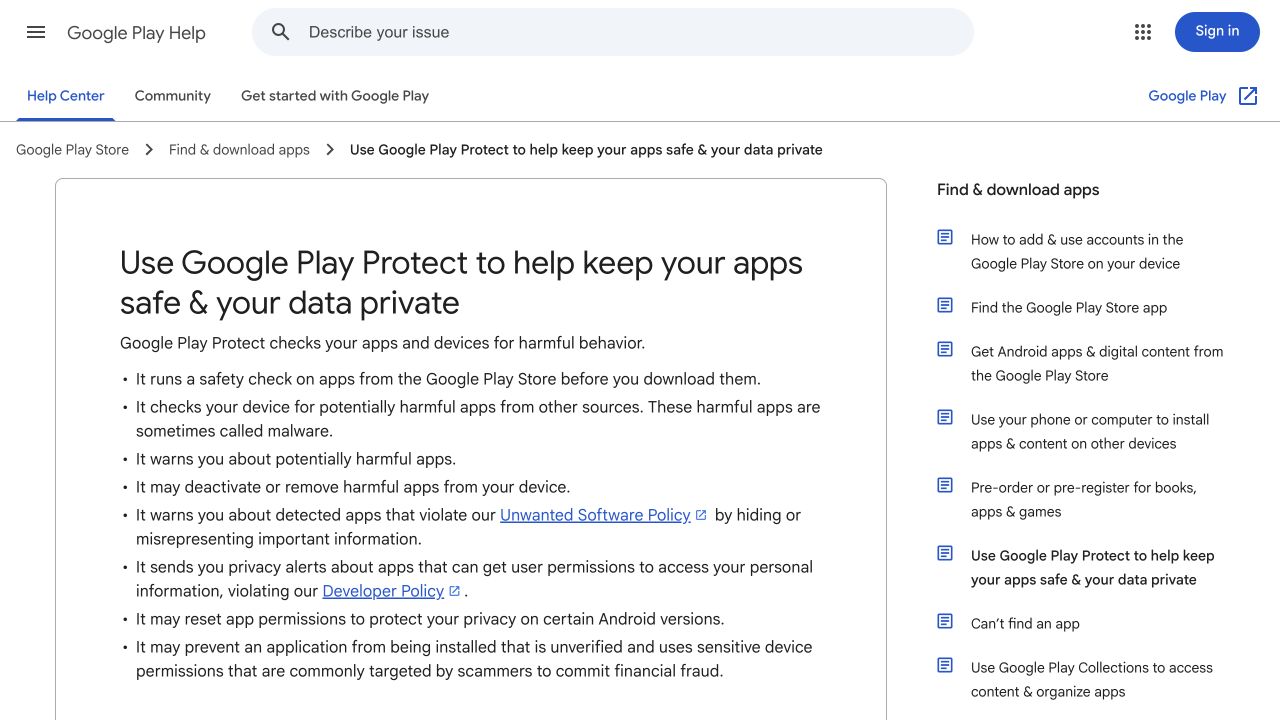
On devices with Google Play, review it through Play Store → profile icon → Play Protect. Follow the genuine interface for a scan or warning. If a download page tells you that disabling scanning is a normal requirement for its Stripchat installer, stop rather than treating the instruction as a harmless setup step.
A result without a warning is not confirmation that Stripchat published the file. Brand authenticity and harmful-behaviour detection are separate checks. Keep asking where the package came from even if the phone lets you install it.
Device models and software versions differ. If you cannot find a control, use the manufacturer’s support instructions instead of installing a “Play Protect repair” tool offered by the same download page you were investigating.
Read permission requests in the context of the action
A permission should make sense for the feature you deliberately chose. Access to a selected photo for an upload is a different request from access to contacts, SMS or control of other applications. Do not approve everything simply to reach the next screen.
Google’s permission-management guide explains how to review an installed app through Settings → Apps → the app → Permissions. The exact labels and choices can vary by phone and Android version. You can review access by permission type as well as by app.
Ask what the permission enables, when it applies and whether you need that feature. For browser-based access, also review the relevant site’s permissions in the browser; an installed-app permission screen and a website permission prompt are different surfaces.
Notifications deserve a deliberate choice too. Consider what may appear on a lock screen or a shared device before allowing previews. Refusing a notification is a preference decision, not evidence that the underlying service has become anonymous.
Be especially careful with accessibility and restricted settings
Android’s restricted-settings guidance warns about apps requesting changes that put sensitive information at risk. It explains that accessibility access can let an app read screen contents and interact with other apps on your behalf.
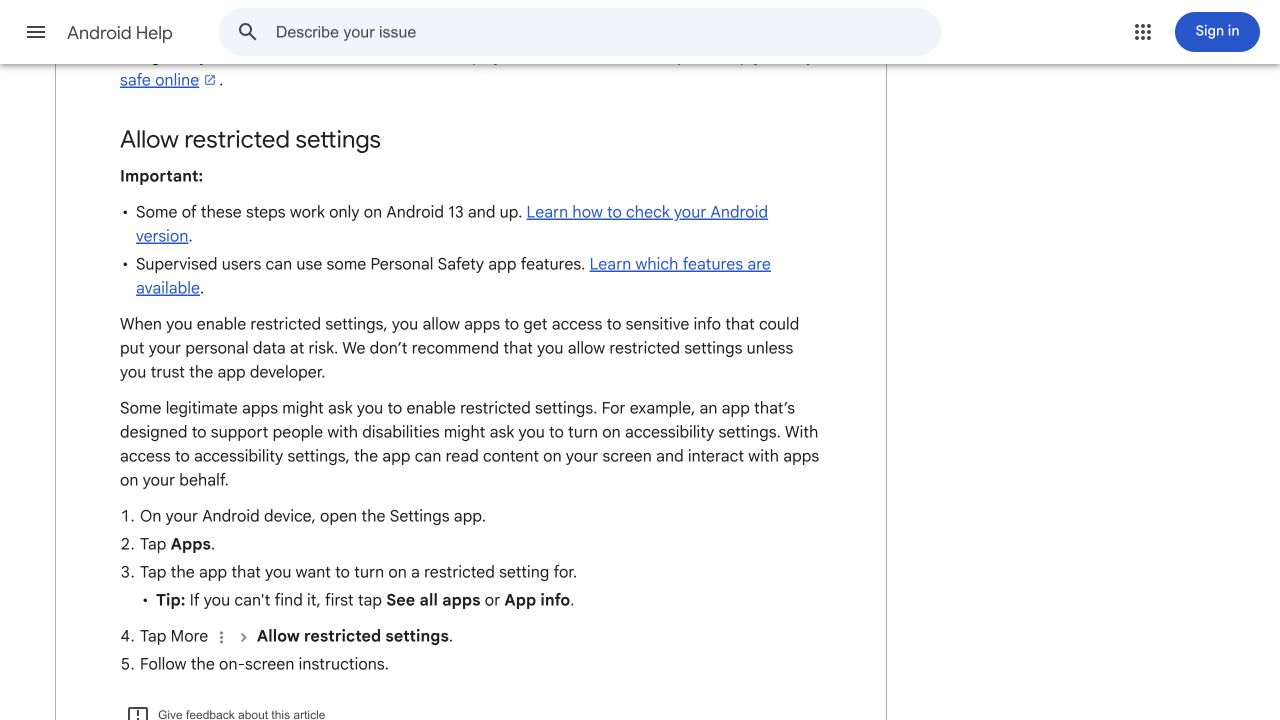
Accessibility has legitimate uses, so the permission alone is not a malware verdict. The concern is an unverified download demanding powerful access without a credible explanation. A claim that you must grant it to watch a page, claim tokens or complete an ordinary sign-in should make you pause.
Do not follow a download page’s instructions to bypass a restriction just because it calls the step “verification.” Establish who developed the app and why it needs the access before changing anything. If that cannot be established, leave the request unapproved.
iPhone download claims need scrutiny too
An iPhone page can use the same copied branding and urgency as an Android download page. The word “iOS” does not make an external installer, profile or management request part of Stripchat’s web-app flow.
Apple’s configuration-profile guidance explains that profiles and device management can affect settings and access to device information. Installed profiles can be reviewed through Settings → General → VPN & Device Management.
If a page asks you to enrol the phone in management to get a viewing app, stop and verify the requirement. Adding web access to the home screen and authorising a management profile are different actions.
If an unexpected profile is already present, read what it controls and follow Apple’s guidance. Removing a profile can also remove its associated settings, apps and data. On a work or school device, consult the administrator before changing legitimate management arrangements.
Recognise fake updates and free-token installers
A page saying that your player is obsolete does not establish that the browser needs an update. Close the prompt and check updates through the browser, operating system or app provider’s genuine channel. Do not rely on a download button supplied by the warning itself.
Treat promises of unlimited tokens, unlocked paid features or a “modded” account with the same scepticism. Ask why the offer requires installing unrelated software or providing login credentials outside the genuine website. A promise of a reward is not a reason to hand over an authentication code.
If someone claiming to be support sends a package through a chat, reach support independently through the help centre. Describe the message and ask whether the request is genuine. Avoid sending passwords, setup secrets or banking codes along with the question.
A website can also imitate a sign-in page without installing anything. The absence of an APK does not prove that a page is safe. Check the address before entering credentials, and do not let familiar colours substitute for that check.
What to do if you already downloaded or installed something
Start by identifying what actually happened. Saving a file, installing it, granting permissions and entering account details create different concerns. Record the source address, file or app name, relevant messages and any device warning without reopening the package to collect more detail.
You downloaded a file but did not install it
Do not open it to investigate. Remove the unwanted download through the device’s normal file controls and continue through the genuine website. A download alone does not establish that the device was compromised; pay attention to any security warning or other action that occurred as well.
You installed the app or granted unusual access
Stop using the unverified app. Review its permissions and any special access it received, use the device’s genuine protection tools and follow the manufacturer’s removal instructions. Do not pay a stranger who promises to clean the device remotely.
If removal is blocked, the device continues behaving unexpectedly or you cannot understand what access was granted, seek help through the manufacturer’s official support. Do not treat one successful scan as proof that every consequence has been undone.
You entered a password, authentication code or payment details
Use a trusted device to secure the affected accounts through their genuine routes. Protect the recovery email, replace an exposed or reused password and review available authentication controls. Our Stripchat account-security checklist explains those steps and questions about existing sessions.
If banking information or money is involved, contact the bank or payment provider promptly through its own channel. Do not wait for an account-support reply before reporting an unauthorised payment. Our unauthorised-charge guide explains which records can help.
Removing an app does not by itself change a stolen password, revoke an existing login session or reverse a payment. Address the device, account and payment concerns separately according to what you disclosed.
Mobile convenience does not remove privacy decisions
A home-screen icon can make access easier, but it does not decide who sees notifications, who can unlock the phone or what remains in email receipts. Review the device and browser settings you actually use, especially on a shared phone.
Keep your browser and operating system updated through their genuine update routes. Read purchase totals and renewal terms on the service itself. For readers in India, payment availability can vary by country and provider; a third-party package is not evidence that a different payment option or offer is available.
The mobile review covers everyday browser and home-screen use. The Stripchat privacy review explains account data, cookies and notification choices. Combine those controls with a verified source for mobile access rather than expecting an app label to answer every security question.
Frequently asked questions
Is a “Stripchat APK latest version” an official download?
The platform’s mobile help says it does not distribute a standalone APK. Check that guidance before trusting a third-party claim. A version number or fresh date does not establish official status.
Does a home-screen icon prove the app is genuine?
No. Confirm the website and the route used to add it. An icon and a copied name do not identify the publisher behind an installer or sign-in page.
Does Play Protect confirm that an app belongs to Stripchat?
It checks for potentially harmful behaviour. It does not replace checking the platform’s own distribution instructions. Keep it enabled and verify the source independently.
Should I allow accessibility access to make an APK work?
Do not grant powerful access to an unverified app just to complete setup. Read the explanation, establish the developer and compare the request with the official web-app guidance.
Will uninstalling a fake app secure my account?
Uninstalling and account recovery are separate tasks. If you entered credentials or payment information, secure those accounts and report relevant payment problems through genuine channels as well.