Stripchat Privacy Review
Stripchat privacy is about more than whether your real name appears beside a message. A username, a bank receipt and a browser notification can each reveal something to a different audience. The useful question is who you want to keep information private from, then which settings and habits address that concern.
For someone using Stripchat in India, start with four places: your public-facing profile, the information handled by the service, payment records and the device you use. A change in one place should not be treated as a change everywhere. Choosing a less identifiable nickname, for example, is a sensible profile decision; it says nothing about what remains in your email inbox.
This guide explains how to read the privacy policy and make practical choices without confusing a private-looking account with anonymous use.
What data does Stripchat describe collecting?
The Stripchat privacy policy names Technius Ltd as operator. Its categories vary by role: visitors’ technical and usage data; members’ account, correspondence and transaction data; additional identity and business information for models and studios. It also describes sensitive inferences based on consent.
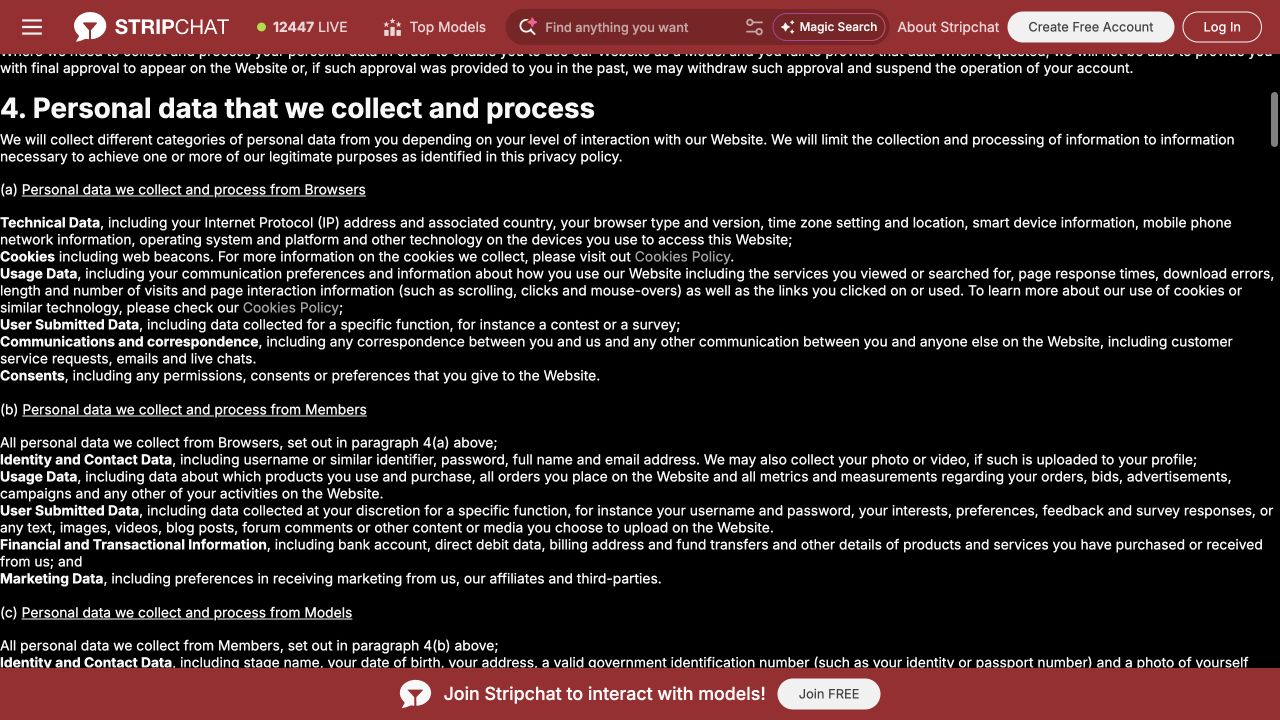
Read the category that matches how you use the service. A document covering viewers and performers will contain requirements that do not apply in the same way to every person. Do not assume a model’s onboarding instructions describe an ordinary viewer account, or that browsing without registering means no information is processed.
Before adding information, ask whether it is required for the action you intend to take. Optional profile detail can wait. If a verification request appears, establish its purpose and recipient before supplying documents. Our Stripchat verification guide explains why age checks, account checks and card-ownership checks need to be considered separately.
Decide which privacy problem you want to solve
“Make my account private” can mean several things. Turn that broad aim into a specific question so that you can judge whether a setting actually helps.
| Your concern | A useful starting point |
|---|---|
| Someone recognising your profile | Review the username, avatar, biography and material you share. |
| A message appearing on a shared screen | Check site notifications, browser permissions and device previews. |
| Someone seeing a payment | Review statements, receipts and access to the payment account. |
| Unwanted optional cookies | Review the cookie choices and browser storage controls. |
| Understanding a stored record | Ask the operator about that data category and its retention. |
| Someone gaining account access | Secure the account and its recovery email. |
These checks work best together. Clearing a browser’s history does not help if a receipt remains visible in a shared mailbox. Hiding notification previews does not change the information you deliberately place in a profile. Start with the most likely exposure in your own situation, then work through the other places where a record might exist.
Keep your profile difficult to connect to your everyday identity
The policy says profiles are public unless otherwise specified and warns that public submissions can be copied or remain accessible after removal.
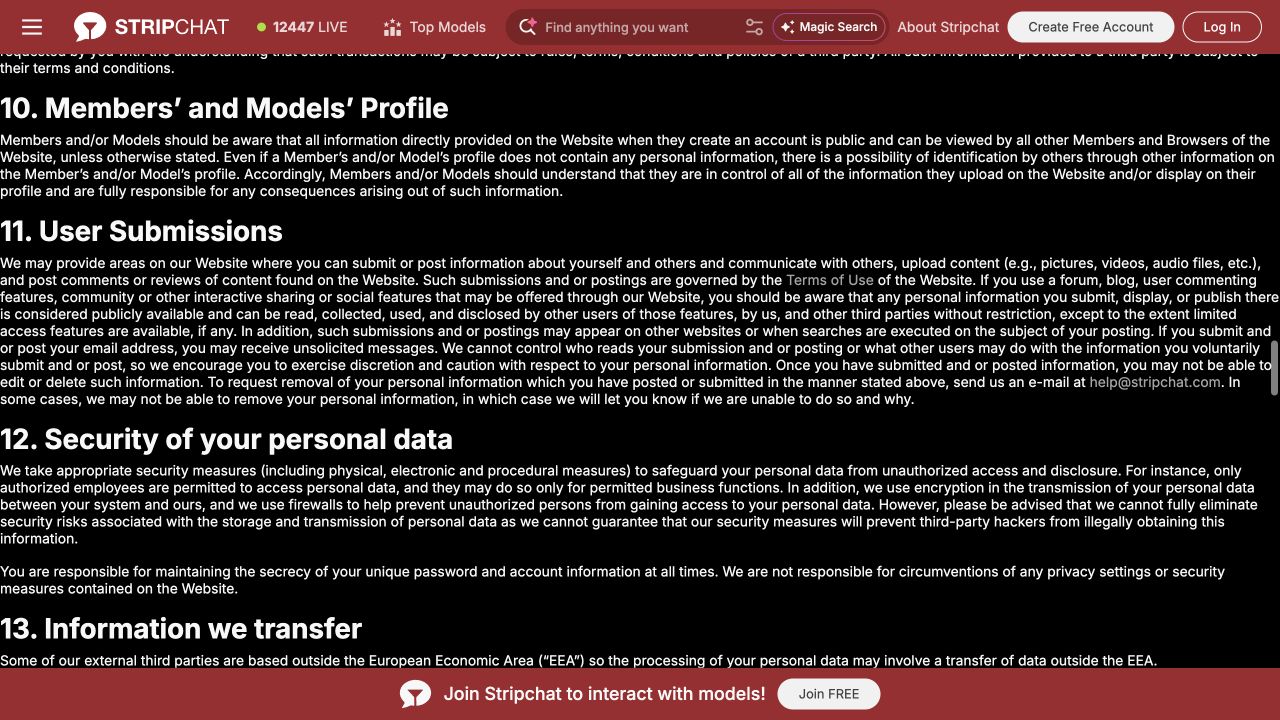
A useful first step is to avoid reusing the same username and avatar you use for work or public social accounts. Reuse gives another person an easy connection to investigate. A nickname chosen specifically for the account reduces that obvious link, although it cannot guarantee that nobody will recognise you.
Review the whole profile rather than just the name field. A biography can identify a workplace, a small neighbourhood or a familiar routine. An uploaded image may include a badge, a document or a distinctive background. Remove unnecessary clues before sharing, rather than relying on a later edit to undo every possible disclosure.
Where a feature offers an audience control, read its scope. Find out which item it applies to and who can view that item. Avoid carrying an assumption from one feature to another: a visibility choice for an upload does not automatically explain how a chat, profile field or payment record works.
Apply the same judgement to conversations. Before sending a personal detail or image, consider whether you would be comfortable with the recipient keeping it. The word “private” in a feature name is not evidence that the recipient cannot copy its contents or that the conversation is end-to-end encrypted.
Review essential and non-essential cookies
The cookie policy links to Manage. The dialog separates essential cookies, marked as always active, from non-essential cookies. Review the current selection and use Save to apply any change.
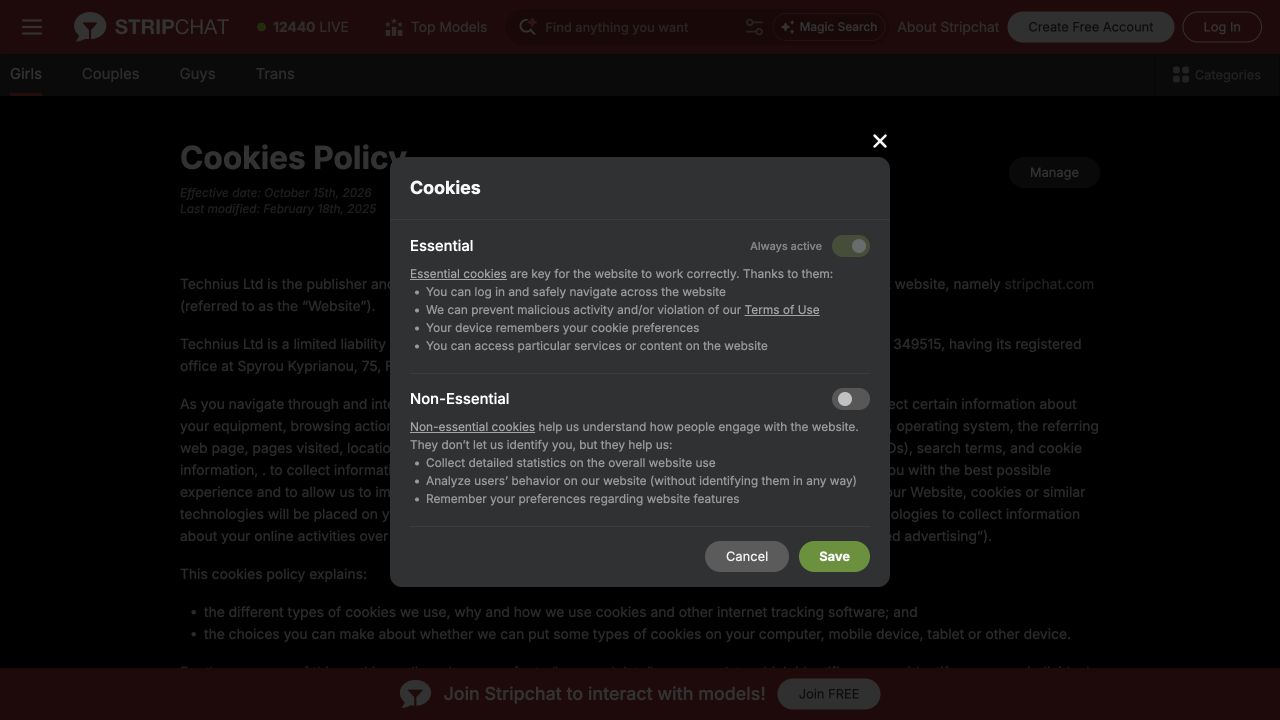
The cookie policy describes uses including site operation, preferences, analytics and marketing. It also explains that changing cookie choices does not delete information already collected, while browser-level blocking can affect how features work.
Treat these as two separate tasks. The website’s preferences control a consent choice. The browser’s storage tools let you inspect or remove locally stored site data. If your aim is to remove existing cookies as well as change future preferences, read both sets of controls and expect that removing site data may require you to sign in again.
A saved choice is not a reason to assume all forms of data collection have stopped. “Non-essential cookies off,” “signed out” and “no data processed” describe different things. Choose the setting that fits your preference, but keep evaluating profile sharing, account information and payments independently.
If the dialog does not clearly explain a category you care about, ask what that category covers. A precise question about analytics or advertising is more useful than assuming a toggle answers every privacy question.
Who can handle information beyond the website?
Stripchat’s policy describes sharing with service providers, group companies and other recipients in specified circumstances, including legal requirements. Its statement that it does not sell personal data should not be read as a promise of no sharing.
For a particular concern, ask about the function involved. A question about a payment needs a different answer from a question about an uploaded document. Identify which organisation receives the information, why it needs it, how long it keeps it and how you can contact it about a correction or deletion request.
Be especially careful with identity requests received through messages. Open the genuine service yourself and establish whether the request belongs to an official verification flow. Do not send identity documents, a password or a login code to another user who says they can unlock a feature or resolve a privacy problem.
When contacting support about a transaction, use the relevant reference and a narrowly cropped record if needed. Avoid sending an entire month’s statement simply because one line is relevant. Keep enough context to identify the issue while removing unrelated purchases and balances.
Bank statements and receipts need their own privacy plan
A payment can create records outside the website. Think about who has access to your bank app, statements, email receipts and payment alerts. A username used on Stripchat does not control access to those places.
Stripchat’s billing-description guidance explains that a payment provider’s name can appear on a statement. A less obvious description should not be treated as an anonymous transaction. Our bank-statement guide explains how to match a descriptor with a genuine purchase.
Keep the records you need for reconciliation and disputes in a place you control. Check where downloaded statements and receipt screenshots are saved, particularly if a photo library or downloads folder is shared. Removing one email does not remove the corresponding bank record or another copy of that receipt.
For users paying in India, privacy is also separate from payment availability. A preferred payment method may not be offered for your country or checkout. Use the options actually shown and read their conditions; do not choose a route on the assumption that it leaves no records.
Check notifications on both the site and your device
Stripchat’s Notify When Online guide says subscribing can produce emails and push notifications when a model comes online or sends a message. It directs users to Settings and Privacy to enable or disable push notifications.
Consider where those notifications appear. A lock-screen preview, shared desktop or connected device can expose a message without anyone opening the account. Review notification previews and browser permissions as well as the website preference. Each control has its own scope.
Email deserves a separate check. A push setting does not by itself explain which emails you receive. Read the controls for the particular email subscription and keep access to the mailbox secure. If an alert contains a suspicious link, navigate to the service directly rather than using the message as your sign-in route.
What incognito mode changes
According to Google Chrome’s Incognito guidance, an incognito session limits what the browser retains locally after all incognito windows are closed. Websites and organisations managing the network can still observe activity, and downloads or bookmarks you create can remain.
Use that distinction when deciding how to browse on a shared device. Signing into an account within an incognito window still identifies that visit to the service as an account session. A downloaded file still needs attention after you close the window. Private browsing is one local-device tool, not a substitute for reviewing what you submit or who can access your records. Our Stripchat and incognito guide explains the differences between browser privacy, Invisible Mode and anonymous tipping.
Secure the account and its recovery email
Privacy also depends on keeping other people out of the account. Use a unique password and protect the mailbox used for recovery. Someone who can read that mailbox may see receipts or account messages even without knowing the website password.
Stripchat’s two-factor authentication guide describes an authenticator-based option in Settings and Privacy and says a code is requested for a suspicious login. Set it up through the genuine account interface and follow its recovery instructions. Do not assume that description promises a code on every visit.
On a shared device, sign out when finished and check whether the browser offers to save credentials. Keep recovery material somewhere only you can access. These measures reduce the chance of unwanted access; they do not determine who receives information during normal authorised use.
For a wider assessment of account, payment and interaction risks, read Is Stripchat safe in India?.
Retention and deletion are different questions
The privacy policy gives purpose-based retention conditions rather than one deadline for every record. It describes qualified rights requests, possible identity checks and contact through help@stripchat.com. Closing an account should not be equated with erasing every retained record.
Decide what outcome you want before making a request. Do you want to stop future use, correct a wrong detail, obtain information about a record or ask for deletion? Stating the action and data category makes it easier to understand whether the response addresses your concern.
For a deletion request, ask which categories will be removed, which will remain, the reason for retaining them and the applicable retention criteria. Keep the acknowledgement and response. If a reply covers only account access, ask separately about the data you meant.
Rights and response requirements depend on the applicable law and circumstances. An Indian reader should not assume every EU-specific procedure automatically applies to them. Equally, a broad retention clause is a reason to seek a clear explanation of a particular record, rather than guessing that everything stays forever.
A transfer-policy detail worth asking about
The policy’s international-transfer section still refers to the EU–US Privacy Shield. The European Commission explains that the framework was invalidated in 2020.
If international transfers matter to your decision, ask the operator which safeguards currently apply to the relevant recipients. That outdated reference warrants clarification; it does not establish where your particular records went or determine the legality of an individual transfer.
Frequently asked questions
Does using a nickname make Stripchat anonymous?
A nickname can reduce an obvious public connection to your identity. It does not explain account records, payment processing, browser storage or the information you share in conversation. Review each of those separately.
Can I stop cookies and still use every feature?
The cookie policy warns that blocking cookies through the browser can affect functionality. Review the available category choices first, and distinguish changing consent from deleting existing site data.
Will incognito hide a visit from the website?
No. It primarily changes local browser handling. If you sign in, the website can associate that session with your account. Chrome also explains that private browsing does not prevent websites or network operators from observing activity.
How can I reduce the chance of notifications being seen?
Review the website’s push setting, browser permission and device preview options. Check email subscriptions separately. A silent phone or hidden preview does not tell you whether another device or mailbox still receives a notification.
What should I include in a privacy request?
Identify the account through the genuine support route, name the data category and state the action you want. Ask for an explanation of anything retained. Supply only the information needed to establish the request and follow any legitimate identity-check process through its official channel.