How to Report or Block a User on Stripchat
To report harassment in Stripchat’s public chat, open the offending message’s three-dot menu → Report Message, choose the relevant reason and explain what happened. Reporting asks the platform to review conduct. Blocking or muting, where available to your account, controls an interaction within the scope shown by that feature.
The distinction matters when you want unwanted contact to stop. A report does not itself tell you whether contact has been restricted, and a room ban does not mean that the person’s entire Stripchat account has been removed. Check the result of each action rather than assuming one button has done everything.
If a message contains a threat, a suspicious payment request or personal information, keep the relevant details privately before losing access to the conversation, when it is safe to do so. You do not need to argue with the sender or pay them to make a report.
Choose the action that matches the problem
Start with what actually happened. A disagreement, a billing question and targeted harassment can require different routes, even when they occur in the same conversation.
| Situation | Useful next step |
|---|---|
| An abusive public-chat message | Use Report Message on the relevant message and add context. |
| A threatening or suspicious private message | Check the message’s reporting menu; preserve the sender and conversation details. |
| A concern about a profile or uploaded content | Use the applicable profile/content report or the Report Content form. |
| Unwanted interaction without an apparent rule violation | Use any applicable contact controls offered to your role, or leave the conversation. |
| Disruption in a room you manage | Use the room’s moderation controls within your permissions; report violations separately. |
| A missing purchase or unfamiliar payment | Preserve the transaction records and use the billing or bank route appropriate to the payment. |
A report is more useful when it identifies a particular message, profile or item. “Please ban this person” leaves the reviewer to reconstruct the problem. A clear description of the conduct gives them something concrete to assess.
How to report a public-chat message
Stripchat’s harassment instructions give this desktop route:
- Hover over the relevant message and open its three-dot menu.
- Choose Report Message.
- For harassment, select Offensive behavior, harassment, or hate speech.
- Add context in Details & Explanation, then submit the report.
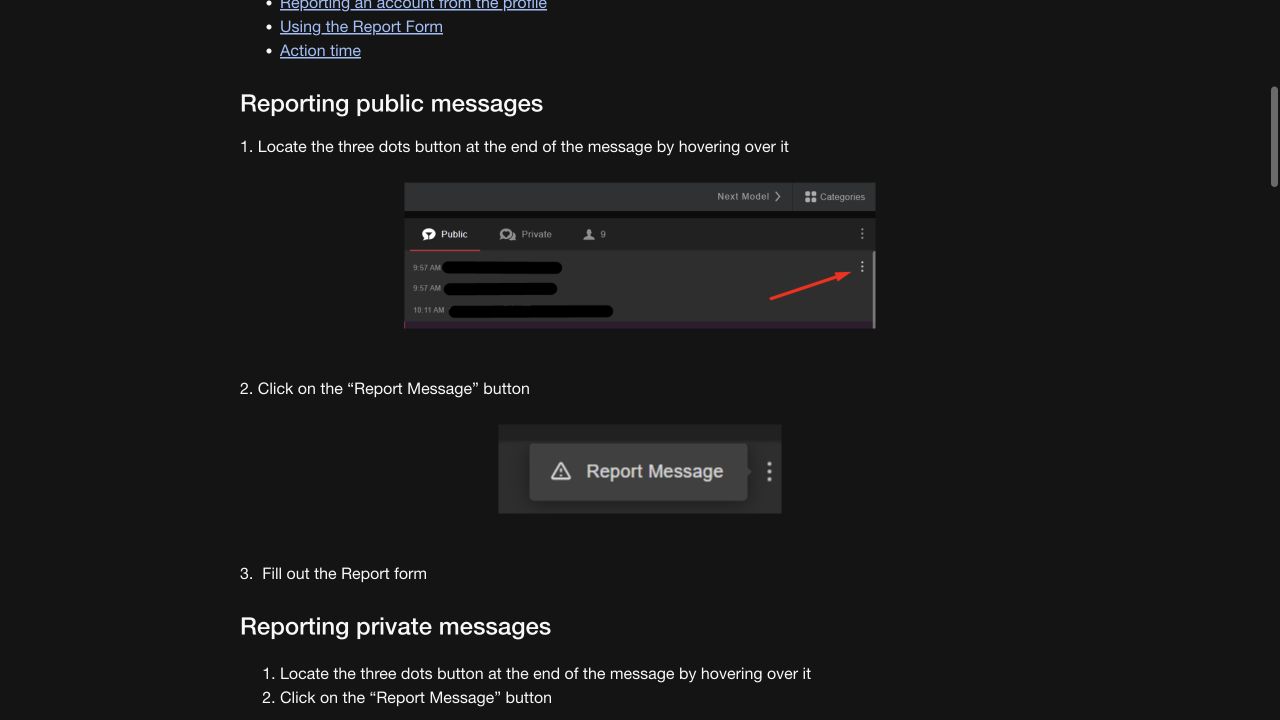
Choose the reason that fits the incident. If the issue is spam, impersonation or exposure of personal information, use the applicable option shown in the reporting interface rather than selecting harassment merely because it appears in this example.
On a phone, use the controls presented by the mobile interface. A desktop instruction to hover is not a gesture you can reproduce on a touchscreen. If you cannot reach the message menu, keep the username, room, time and relevant link, and use the content-reporting or support route instead of tapping unrelated account actions.
Reporting a private message or a profile
The reporting guide also documents Report Message in a private message’s three-dot menu. For an account visible in public chat, it describes hovering over the username and choosing Report on the profile card. Follow the options actually available to your account and device.
For a repeated pattern, identify a representative message and explain the wider sequence. Include when contact started, whether it continued after you asked it to stop and which other accounts were involved. Do not turn a guess about two accounts belonging to one person into a statement of fact; describe the connection you observed.
If a message disappears or you can no longer open a profile, explain that in the report. A saved username, link and time can still help locate the incident. Avoid repeatedly reopening contact simply to obtain a more dramatic screenshot.
Using the Report Content form
The Report Content form asks for a category, a direct content link, a content type and an explanation. It also asks for an email address; the full-name field is marked optional. The explanation field displays a 1,000-character limit, so make the first sentences specific.
For harassment in a model’s performance, the harassment guide describes Report Model from the room’s menu, or the caution icon on a mobile profile. Use the route relevant to the content you are reporting.
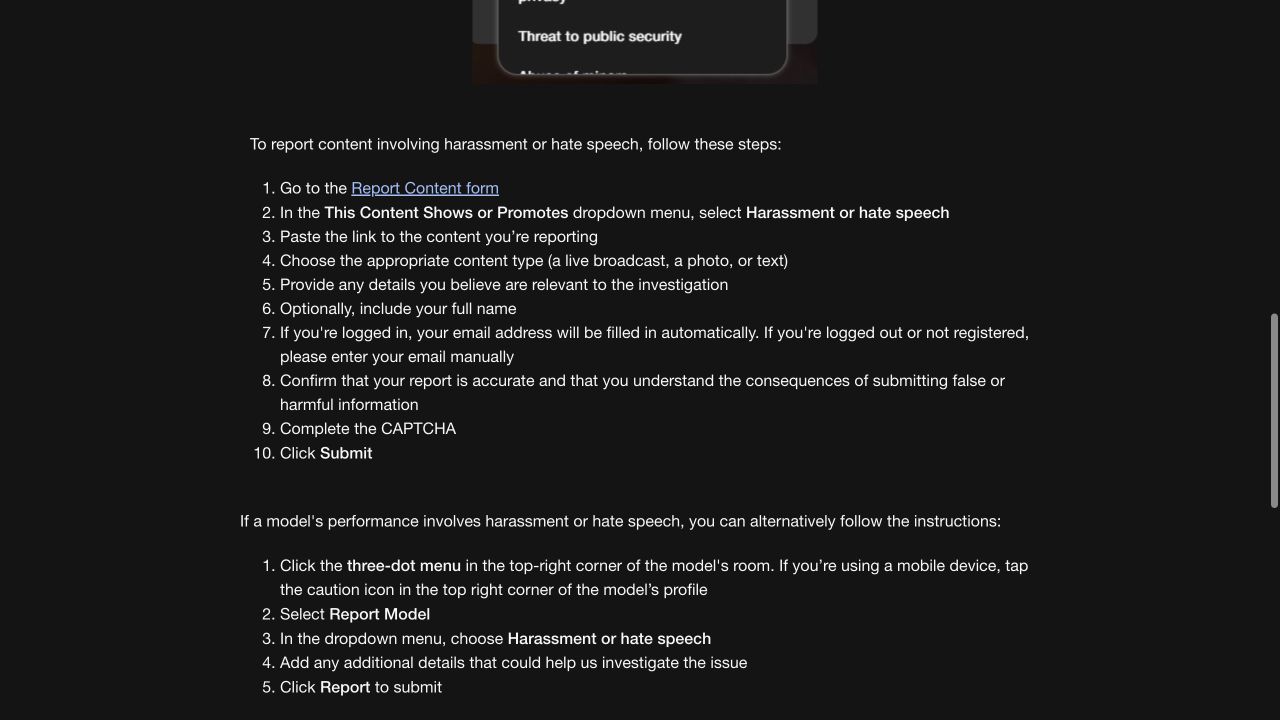
Use the ordinary report form for an ordinary user complaint. A separate route labelled for government authorities or trusted flaggers does not become appropriate merely because you consider an incident serious.
Read the accuracy declaration before submitting. State what you saw and distinguish it from what you suspect. You can explain why conduct concerns you without inventing a legal citation or claiming to have verified the sender’s identity. Complete any required verification in the genuine form yourself.
How blocking and muting differ from reporting
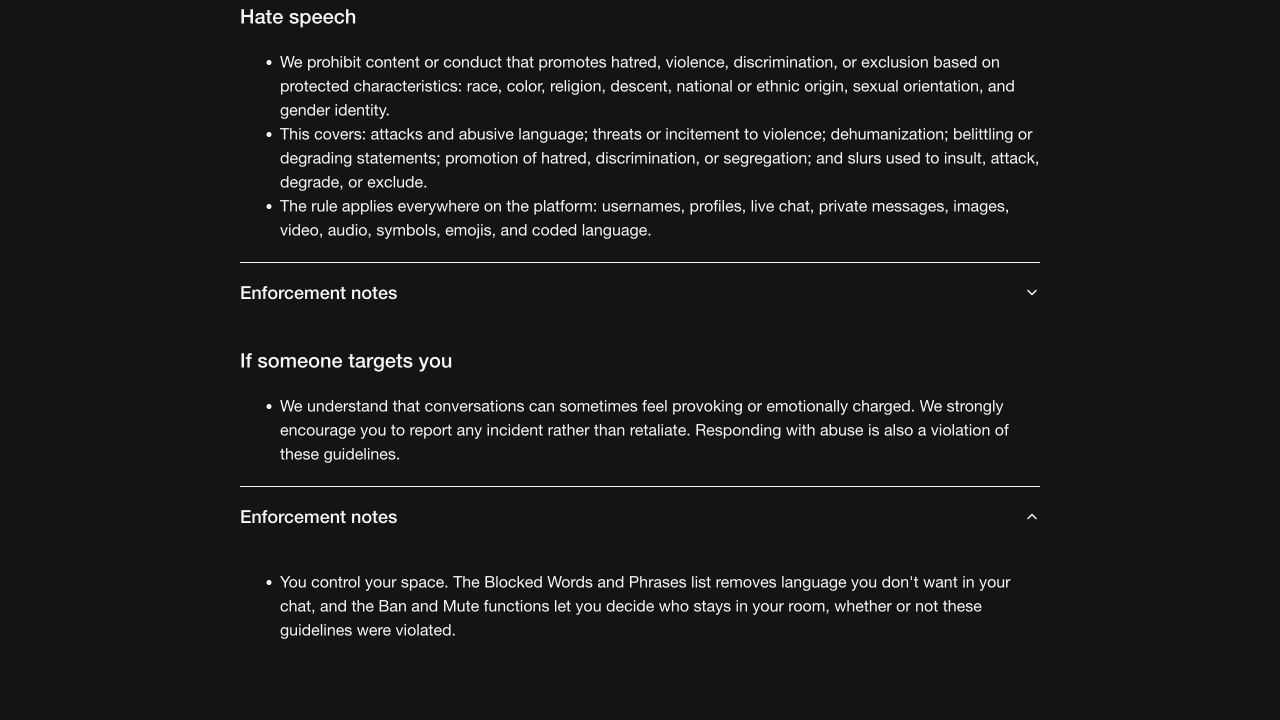
Stripchat’s Community Guidelines describe Ban and Mute as controls over who stays in a room, alongside a blocked-words filter. These are room-management tools. They should not be read as a promise that every viewer has a universal button to prevent another account from seeing them everywhere on the site.
If your account offers a block or mute option for a particular interaction, check its scope before confirming. Notice whether the wording refers to messages, the room or the account, and look for the resulting confirmation or status. A disappearing conversation alone does not establish that the sender has been blocked across the platform.
If you cannot find an applicable control, stop replying, leave the room or conversation and use the reporting route for a violation. Use the customer-support guide to ask which contact restrictions are available to your account type. You should not have to purchase an upgrade, pay a stranger or install a browser extension to get an explanation of the controls.
For models, a room ban is a moderation decision. Stripchat’s room-ban guide lists 24-hour, 30-day and permanent bans, and says lifting a ban requires the model’s permission. That is different from a platform decision to suspend an account.
If you have been banned, respect that boundary. A report should describe a genuine violation; it should not be used to pressure someone to restore access to their room. Do not create alternate accounts to continue unwanted contact.
Keep evidence that explains the incident
Useful evidence connects the account, the conduct and the time. A short, readable sequence is easier to assess than a folder of unrelated screenshots.
Keep the following when relevant:
- The exact username and profile or room link. Similar names can refer to different accounts.
- The date, time and time zone. For example, specify IST when recording an incident in India.
- The message or content link, where available. Include enough context to locate an item that has since disappeared.
- The surrounding conversation. Preserve the request, response and any repeated demands that explain the issue.
- Relevant payment details. Keep an amount, transaction reference and receipt if the conduct involved money.
- Your report reference and any later reply. These connect a follow-up to the original complaint.
Preserve original records securely. When providing copies, remove unrelated private information without changing the relevant meaning, and make any redaction clear. A bank screenshot may need only one transaction; it rarely needs to expose every other purchase or the full account number.
Do not publish another person’s personal details or circulate private material to recruit more reporters. If the concern involves suspected illegal sexual material, avoid downloading, copying or forwarding it; report its location through the appropriate platform and authority channels. A reporting task is not a reason to create additional copies of harmful material.
What to write in a report
Lead with the event, then explain why it matters. A message such as “this account threatened to publish my contact details unless I paid” is more useful than a general description of the sender as a bad person. Follow it with the account identifier, time and location.
For example, adapt this outline to your own facts:
I am reporting [username/profile link] for [specific conduct]. The incident occurred in [room or conversation] on [date, time and time zone]. The relevant message said [brief relevant excerpt or factual description]. It was followed by [additional event, if applicable]. The content link is [link]. I can provide the relevant conversation record through your support process. Please review the incident and advise on available contact restrictions.
The brackets are prompts, not information to submit unchanged. Keep an explanation of uncertainty where needed: “I do not know whether the sender actually has the information they claim to hold” is more accurate than presenting the claim as established.
Do not include your password, live authentication codes, reset links or authenticator setup keys. If support needs account verification, use the genuine process and provide only what it requires through the specified secure channel. Our account-security guide explains how to protect access if a suspicious contact has also asked for credentials.
What happens after you report someone
Stripchat’s complaint-handling policy describes an investigation, a decision and notification of the outcome. Action depends on the evidence and the platform’s assessment. A submitted report is not proof that the reported account will be banned.
Published processing times also have a scope. The reporting guide lists 5–15 minutes for message reports, 1–2 hours for certain profile/content reports and 24 hours for the general form. The complaint policy separately states a maximum of five business days for illegal or non-consensual content complaints. These are the platform’s published timings for different categories, not a guaranteed response time for every case.
Save the confirmation or case reference. If a new message adds material evidence, attach it to the existing case where the support process allows. Repeated copies of the same allegation do not add context or establish urgency.
The reporting guide warns against excessive reporting, limits reports of models to 10 per day, and says reporting a model removes them from your Favorites if they were there. Use reports for actual concerns rather than as a way to organise a campaign against an account.
If you disagree with a decision, follow the instructions in the decision email. The complaint policy describes a six-month appeal period for a reported violation. The appeal guide includes failed reports among decisions with an email appeal link. Explain what the initial review missed and supply relevant new context.
When harassment also involves money or account access
If someone demands payment to stop a threat, preserve the demand and avoid sending more money or private material. Limit further contact and seek the appropriate local assistance if the threat extends beyond the website. Do not wait for a platform moderation decision before addressing an immediate safety concern.
A conduct report, an account-security request and a payment dispute address different problems. If you entered credentials on a suspicious page, secure the affected account through the genuine service. If money moved, contact the bank or payment provider through a channel you reach independently and describe accurately what you approved or did not approve.
Our Stripchat scams guide covers impersonation, recovery-fee demands and reporting financial cyber fraud in India. The unauthorised-charge guide covers unfamiliar payments, while the refund-policy guide explains product conditions. Reporting another account does not itself reverse a payment.
Blocking someone also does not resolve subscriptions, recurring purchases or a request to erase personal data. If you want to leave the service, review account deletion and its consequences separately, preserving any records needed for an unresolved complaint before giving up access.
Frequently asked questions
Can I report a user without continuing the conversation?
Yes. Use an available report control or the content form with the relevant identifiers and context. You do not need to provoke another message or announce your report to the sender.
Does reporting automatically block someone?
Do not assume it does. Check any contact restriction separately and read the scope shown by the interface. A moderation review and a room or message control serve different purposes.
Where is the block button for an ordinary viewer?
Check the controls offered in the relevant conversation or profile. Room Ban and Mute instructions describe moderation permissions, so they may not match your viewer account. If an applicable option is absent, leave the interaction, report a violation and ask support about available restrictions.
Can I report a private message?
Stripchat’s reporting guide documents a Report Message option in the private-message menu. Use it where available and retain the sender, time and context. If you cannot access the control, explain the problem through the reporting or support route.
Is a report anonymous?
Do not assume anonymity. The content form asks for an email address, and the reviewed guidance does not establish a universal promise about what is disclosed in every complaint process. Keep sensitive details to what the genuine process needs and ask support if disclosure is a concern.
Will blocking remove earlier messages or saved copies?
Do not rely on it to erase material already sent or copied. If personal information was exposed, report the specific content and describe the privacy concern. Our privacy guide explains why access controls and data deletion need separate consideration.
Will support remove a room ban for me?
The room-ban guide says a model’s permission is required to lift their ban. A room restriction is different from a platform suspension. Respect the restriction and report only genuine misconduct, with evidence.