Stripchat Spending Controls
Controlling Stripchat spending starts with knowing which amount you are trying to limit. Money paid for token packages, tokens used during a visit and membership renewals are related, but they are different records. A low token balance does not tell you how much money you have spent this month, and a bank limit does not explain how quickly an existing token balance can be used.
Set a budget in rupees for a defined period, check automatic purchases and subscriptions, then compare actual payments with that budget. Use Token History to reconcile purchases and plan token use separately. Bank controls and alerts can support the plan, provided you understand what they cover.
The most useful spending control is one with a clear scope: what it measures, when it resets and which purchases can happen outside it. That is especially important when Auto-Refill or several subscriptions are active.
Which controls do different jobs?
Use the settings available in your account and payment service, and read what each one actually limits. A label such as “limit” should not be assumed to cover every way money or tokens can be spent.
| Control or record | What it helps you manage |
|---|---|
| A personal INR budget | The total you decide to commit over a week, month or other chosen period. |
| Balance Auto-Refill setting | Whether low token balance can trigger another automatic package purchase. |
| My Subscriptions | The memberships and Fan Club arrangements that may create future payments. |
| Token History and receipts | Matching a purchase with its token credit and payment record. |
| A bank’s transaction or category limit | Payments within the scope defined by that issuer. |
| Available payment alerts | Noticing activity and comparing it with your own records. |
| A token allowance for one visit | How much of an existing balance you intend to use before stopping. |
A budget you write down is a planning rule. A control that declines a payment is an enforcement mechanism with its own conditions. Keep both, rather than expecting one bank setting or website balance to answer every spending question.
Set the rupee budget before choosing a package
Choose an amount you can comfortably allocate to entertainment for the period. Treat that amount as a ceiling, not a target to reach. Decide the period in advance so that a new week, a billing cycle and a calendar month do not get mixed together whenever another purchase looks attractive.
Include the full cost of new token purchases and separately billed memberships or subscriptions. For a purchase quoted in another currency, account for conversion and applicable issuer charges when comparing it with the INR budget. If part of the cost is uncertain, leave room for that uncertainty instead of committing the entire remaining allowance.
Our Stripchat token-price guide in INR explains the difference between a package price, the effective cost per token and the final rupee debit. The token calculator can estimate a package and a timed session using the figures you enter. Its result is a planning estimate; it does not put a limit on Stripchat billing.
A lower unit price can still mean a larger purchase
A bigger package may reduce the calculated price per token while taking more money out of the current budget. Compare the total commitment as well as the unit price. Tokens you did not plan to buy are not a saving simply because they are part of a larger offer.
Before confirming a purchase, ask how much of the period’s allowance remains after the whole package, other payments and expected renewals. Judge the package against that figure, rather than against the amount of credit the bank would let you spend.
Review Auto-Refill before treating a package as your limit
Stripchat’s Auto-Refill guide describes automatic top-ups when the token balance runs low. The feature repeats the last manually purchased package using the last payment details on file and is available with some payment methods.
The guide lists a card and PayPal Auto-Refill limit of four per 24 hours. That is a count of automatic top-ups, not an INR budget. The cost depends on the package being repeated, and the same article says further tokens can be bought manually after that refill limit is reached.
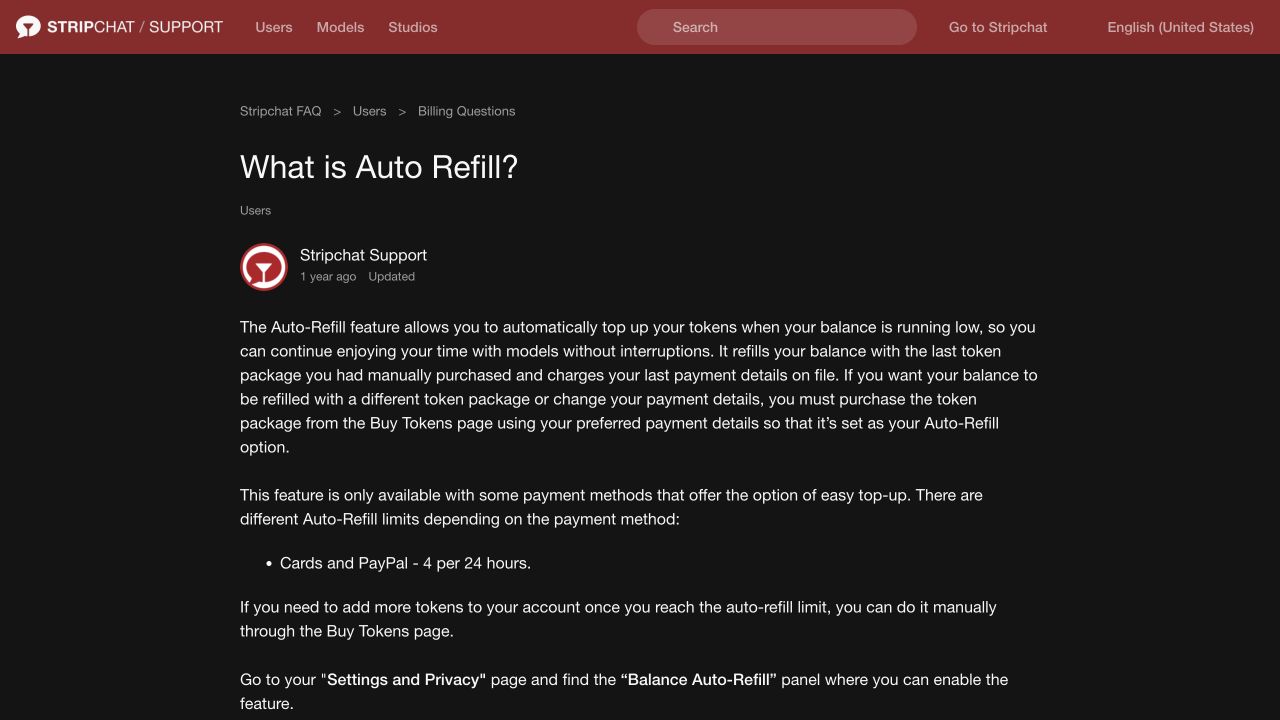
Review Settings and Privacy → Balance Auto-Refill. If you want each package purchase to be a separate deliberate decision, turn off automatic top-ups and check the resulting setting. If you keep the feature enabled, include its possible purchases in the budget and understand which package it will repeat.
Do not use a large remaining token balance as the only protection against another payment. The balance can change during use, and the purpose of Auto-Refill is to buy again when it falls. Changing the last package or payment details also does not mean the feature has been disabled.
Our recurring-payment cancellation guide explains the separate Auto-Refill, Ultimate and Fan Club controls. Stopping top-ups and cancelling a membership are different actions.
Count subscriptions alongside token purchases
Review My Subscriptions and the receipts for memberships or Fan Clubs you use. For each arrangement, note whether it renews, the amount and currency, its billing period and the next payment information shown. Use the actual subscription record instead of assuming every purchase has the same renewal pattern.
A token balance can stay unchanged while a separate membership payment occurs. Conversely, spending tokens from an existing package does not necessarily create a new bank debit. Both are reasons to keep a payment budget alongside a token-use plan.
If you decide to stop a renewal, use the relevant cancellation route and keep its confirmation. Removing a calendar reminder or deciding not to visit again does not give you evidence that the arrangement ended. If the subscription’s state is unclear, ask support which future payments remain authorised.
Reserve space for renewals that fall within your chosen budget period before allocating money to another package. Do not count a planned cancellation as completed until you have checked its outcome.
Track payments and token use separately
Stripchat’s Token History guidance directs users to check whether a purchase produced a token credit, then compare that with the bank or provider’s payment status. That comparison is useful for a spending record as well as a missing-credit problem.
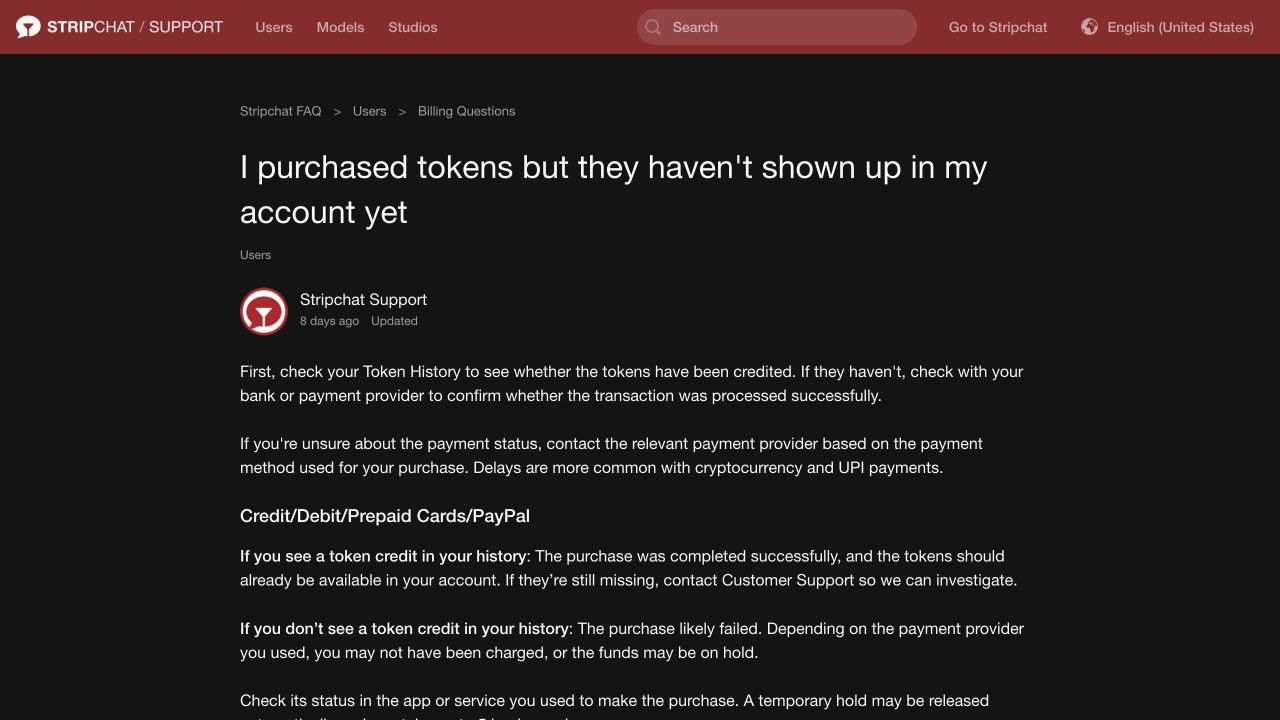
For the money record, keep the purchase date, provider reference, original currency and final INR debit when available. Record separately billed memberships and relevant fees. If a payment remains pending, mark that uncertainty and avoid treating the money as freely available for another purchase until its status is clear.
For token use, note the balance you started with, what you intend to allocate to the visit and what remains afterwards. Compare any available account activity with your plan. Ask support about an unexplained difference rather than assuming the balance alone identifies its cause.
You can keep this record in a private note or spreadsheet. There is no need to assume the website offers a particular export, custom spending report or alert just because such a tool would be useful. Work with the records actually available to you and keep receipts together.
Avoid counting the same purchase twice
Buying a package commits money. Later spending its prepaid tokens allocates that already purchased balance. Adding the package’s full cash price and the rupee equivalent of those same tokens as two new payments would overstate the cash spent.
The reverse mistake is to track only tokens used and forget the upfront package cost. If you bought a large package but used very little, the purchase still belongs in the money record for the period when you paid for it.
A simple budget example
The following figures are illustrative, not a Stripchat offer or current tariff. Suppose your period budget is ₹2,000, you reserve ₹300 for an existing renewal, and a package costs ₹1,200 in total for 120 tokens, including the costs assumed for this example.
The package and renewal commit ₹1,500, leaving ₹500 of the cash budget. The package works out at ₹10 per token. Those are two useful results: one tells you whether another purchase fits the period; the other helps allocate the existing tokens.
If a feature’s displayed rate were 20 tokens per minute, allocating 80 tokens to it would give a four-minute estimate at that unchanged rate. The remaining 40 tokens could stay unspent or cover other activity you deliberately include. Tips, messages and other deductions would reduce what remains for the timed feature.
The estimated ₹800 value of those 80 tokens is part of the already purchased ₹1,200 package, not another ₹800 bank payment. A further top-up, however, would be a new purchase to compare with the ₹500 cash allowance still available.
Replace every example input with the package, rate, costs and renewal information shown to you. If a rate changes or another charge applies, revise the plan before continuing.
Plan the visit before the balance starts falling
Choose the token allowance and any time limit before starting a paid feature. Read the displayed rate and what activity it applies to. A rate used for one feature should not be carried over to another without checking it.
Allow separately for tips, paid messages and other items you might choose. Stripchat’s service terms describe different token-based charges, including timed features and messaging fees. A session estimate based only on minutes will not cover every possible deduction.
A timer or reminder can help you notice the boundary you chose, but it does not stop billing for you. End the paid activity through its actual interface when you intend to stop, and check the resulting account record. Closing a reminder is not the same action as leaving a paid feature.
Avoid moving the boundary every time the allowance is nearly used. If your rule is no further purchases during this visit, decide that in advance and keep Auto-Refill consistent with it. An existing token balance also does not create an obligation to spend it all today.
Use bank controls with a clear understanding of their scope
As an issuer example, SBI Card’s usage-and-limits FAQ describes category spending controls and says a payment can be declined for exceeding its category limit even when the overall credit limit is sufficient. It also describes category usage in relation to the billing-cycle credit limit.
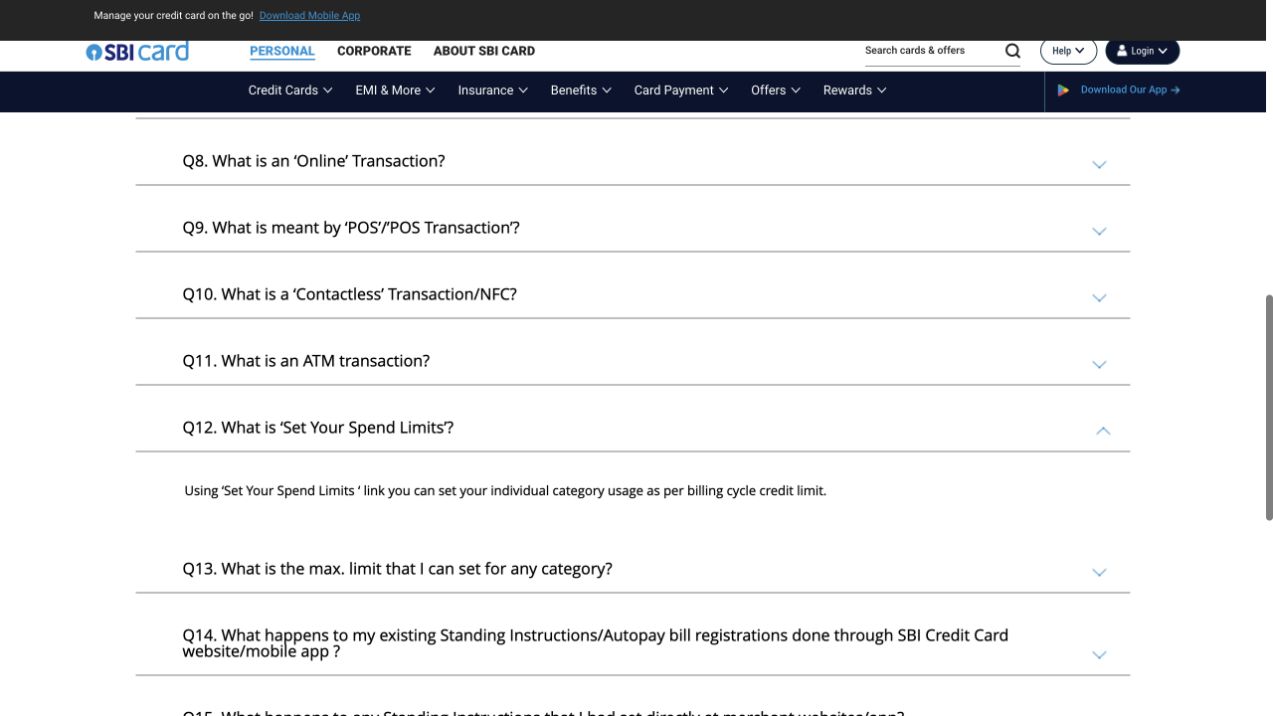
Ask your own issuer what a control measures, which transactions it covers and when it resets. Do not assume it is a merchant-specific monthly allowance. A limit on a new payment also does not control the use of tokens already held on the website.
Set controls through the genuine bank interface and keep them consistent with the budget you intended. If a payment is declined because it exceeds your chosen boundary, review the plan rather than automatically raising the limit. A credit limit is borrowing capacity, not an entertainment budget.
A bank-side payment control is also different from cancelling a subscription. Confirm recurring arrangements separately if you want future renewals to end.
Alerts help you notice spending; records explain it
Review the transaction alerts your bank or payment provider offers and make sure you can receive them. If the website account offers relevant purchase or subscription notifications, check what they cover. Avoid assuming a notification setting enforces a monetary ceiling.
Use an alert as a prompt to match the payment with a receipt or account entry. Keep the amount, currency, provider name and reference. A provider descriptor may differ from the website name; our bank-statement guide explains the documented examples.
Reconcile activity after a visit and again before another purchase. If there are unresolved attempts or pending entries, establish their status first. Several notifications do not necessarily mean several completed purchases, and a missing notification does not establish that no payment occurred.
If a payment is not yours or you suspect unauthorised use, report it promptly through the bank or provider’s trusted channel. The unauthorised-charges guide explains how to preserve the relevant records while securing the payment method.
What to do when the budget has been reached
Stop new purchases for the period and review any automatic top-up or renewal arrangements that could still add to the total. Check their settings and confirmations rather than relying on memory. Keep pending payments visible in your record until their status is resolved.
If the plan keeps changing during use, take a break before making another purchase. Simplifying the setup can help: deliberate manual purchases, fewer active renewals and a clear record of money already committed make the remaining allowance easier to see.
Do not rely on refunding authorised spending later as the budget control. The refund-policy guide explains that refund routes have conditions and require review. A wish to reverse a purchase is not a substitute for choosing its amount beforehand.
For a disputed record, contact support with the purchase date, time, amount and receipt if available, as described in the transaction-support instructions. Ask about the specific entry or setting that is unclear.
Frequently asked questions
Is an Auto-Refill limit the same as a daily budget?
No. The documented limit counts automatic top-ups for the relevant methods. It does not set the rupee cost of the package being repeated or include every manual purchase and subscription. Keep a total payment budget separately.
Can a bank limit stop me using tokens I already bought?
A payment limit concerns transactions within the issuer’s defined scope. It does not allocate an existing website token balance. Set a separate allowance for token use during a visit.
Should I budget for the package or just the tokens I use?
Record the full package as money committed when you buy it. Track later token use separately to understand the activity it funds. Do not add the value of the same prepaid tokens again as a second cash payment.
Does the token calculator enforce my budget?
No. It estimates costs from your inputs. It does not change website settings, cancel renewals or make the payment provider decline purchases. Use it before a decision and compare the result with your own remaining allowance.
Will a larger package always save money?
A lower calculated unit price can still require a higher upfront payment. Compare the total with your budget and planned use, including other commitments and fees. Buying more tokens than intended is a larger purchase even if the unit price is lower.
What if I cannot find a monthly spending-limit control?
Do not assume another setting provides the same protection. Ask support which controls apply to purchases, top-ups or account use, and check the scope of your issuer’s controls. Continue tracking the full budget rather than relying on an unconfirmed cap.